

A micro-market is an unmanned, self-service retail space inside your workplace, with open shelving, a self-checkout kiosk, and a wide range of SKUs including fresh food that a vending machine simply cannot hold. If your site has consistent daily foot traffic, a need for 24/7 food access, and employees who want more than chips and soda, a micro-market is the right move. If your headcount is very low or your space is fully public-facing with no controlled access, a traditional vending machine is probably the better fit.
The case for a micro-market comes down to three things:
- Foot traffic threshold. Operators commonly target a moderate to large number of on-site employees for strong ROI; 24/7 operations can work at lower headcounts because traffic is captive around the clock.
- Fresh food demand. If employees are leaving the building for lunch, a micro-market with salads, sandwiches, and grab-and-go meals keeps them on-site and productive.
- Vendor-managed operations. The host business pays nothing for equipment or service; the vendor handles restocking, maintenance, and inventory, so your facilities team stays focused on other priorities.
Jeeves Vending installs and manages custom micro-markets in the Dallas-Denton region at no upfront cost to the host business, making them a practical starting point for any facility manager evaluating the model.
Pro Tip: Before calling a vendor, walk the space with your operations lead. Check for a 110V outlet within reach of the planned footprint, a clear restock path wide enough for a hand truck, and a location visible from a main corridor — visibility alone reduces shrinkage significantly.
Table of Contents
- What is a micro-market, and how does it differ from vending and pantry services?
- How do micro-markets actually operate day to day?
- What hardware and software do you need to evaluate?
- Why do offices adopt micro-markets?
- How do you handle security and loss prevention?
- What does installation look like, and who pays?
- How should you stock and merchandise a micro-market?
- What should a vendor be responsible for, and why Jeeves Vending fits that scope?
- How do you choose a micro-market vendor step by step?
- How do micro-markets work differently across industries?
- Key Takeaways
- The part most facility managers get wrong
- Jeeves Vending installs micro-markets in Dallas-Denton at no cost to your business
- Further reading and authority sources
What is a micro-market, and how does it differ from vending and pantry services?
A micro-market is an unmanned retail space inside a workplace. Employees browse open shelves and refrigerated cases, pick what they want, and pay at a self-checkout kiosk — no cashier, no coil mechanism, no waiting. The product range typically spans 150–400 SKUs: packaged snacks, cold beverages, fresh salads, sandwiches, yogurt, and specialty items that a standard vending machine cannot physically accommodate.
Traditional vending machines use mechanical coil dispensers behind locked glass. They carry a limited number of SKUs, require cash or card at a single point, and generate a lower average transaction because the format limits what people buy. They work well in smaller spaces, public lobbies, or locations where security concerns make open shelving impractical.
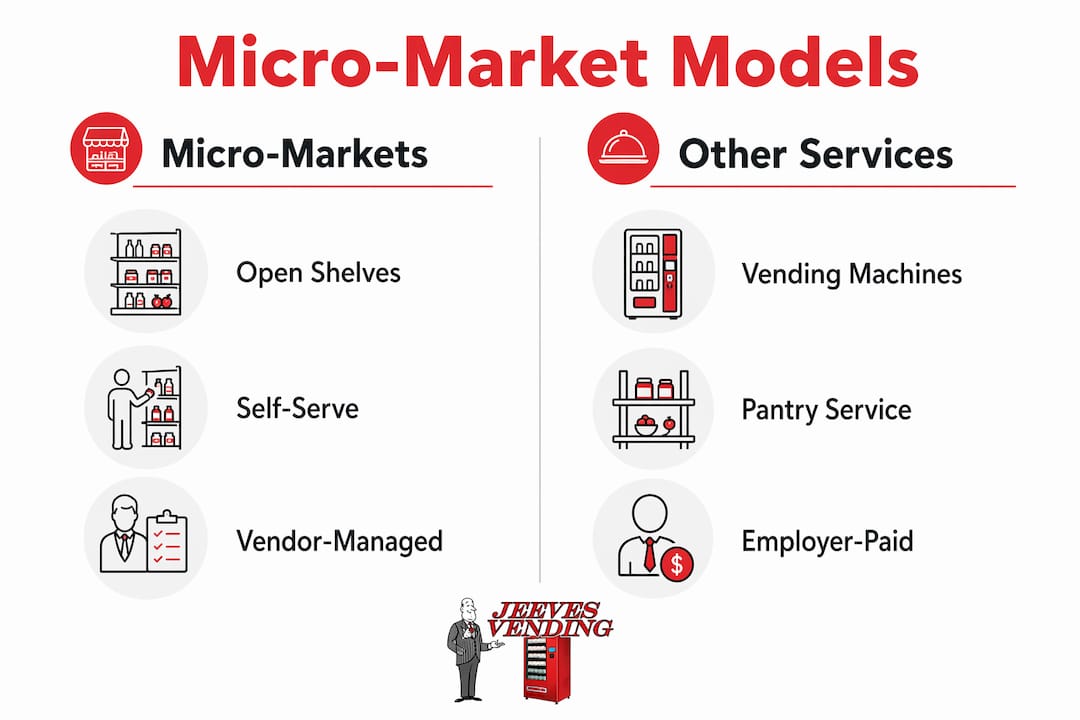
Pantry services are a different model entirely. The employer pays for everything, and employees take items for free as a workplace perk. Micro-markets are user-paid retail; pantry services are employer-funded benefits. The right choice depends on your budget, headcount, and what you are trying to signal to employees. A tech company trying to compete with free cafeteria perks might lean toward pantry. A manufacturing facility or mid-sized office looking for a self-sustaining food service solution is a natural fit for a micro-market.
For facilities staff, the operational difference is significant. A vendor-run micro-market means your team handles zero restocking, zero inventory management, and zero maintenance calls. A pantry service often requires someone on-site to manage ordering and replenishment. Hospitals and 24/7 manufacturing sites tend to favor micro-markets precisely because the vendor-managed model scales across shifts without adding headcount.
How do micro-markets actually operate day to day?
Understanding the operational flow helps you set expectations with your vendor and brief your employees before launch. Here is the end-to-end shopper experience:
- Browse. The employee walks up to open shelves and refrigerated cases, picks up items, and reads labels — exactly like a small convenience store.
- Scan. Items are scanned at the self-checkout kiosk using a barcode scanner or, in AI grab-and-go coolers, automatically detected when the door closes.
- Pay. The kiosk accepts credit and debit cards, mobile wallets (Apple Pay, Google Pay), and employee accounts or payroll-deduction cards where configured.
- Receipt. A digital or printed receipt is issued; the transaction logs instantly to the vendor’s cloud dashboard.
Behind the scenes, the operational cycle runs on cloud-based telemetry that monitors inventory and sales in real time. When a SKU hits a restock threshold, the system triggers an alert to the vendor’s route team. The driver arrives during a pre-scheduled window, restocks only the sections that need attention, rotates fresh items by expiration date, and logs the visit. No fixed-schedule guesswork, no overstocking slow movers.
The core tech components running daily include:
- Self-checkout kiosk with touchscreen POS and barcode scanner
- Refrigerated cases and smart coolers with digital temperature monitoring
- AI grab-and-go coolers (in newer installations) that use weight sensors or cameras to detect what was taken
- HD security cameras positioned to cover the kiosk and shelving
- Inventory dashboard accessible remotely by the vendor and, in most contracts, viewable by the facility manager
Pro Tip: During launch week, ask your vendor to share daily velocity reports by SKU. Items that sell out before the next restock window need a higher par level; items untouched after five days should be swapped out immediately. Setting those thresholds in week one prevents the “empty shelf” complaints that kill early adoption.
What hardware and software do you need to evaluate?
Facility managers evaluating micro-market proposals need a working vocabulary for the equipment and platform specs vendors will quote. Here is what to look for.
Hardware checklist
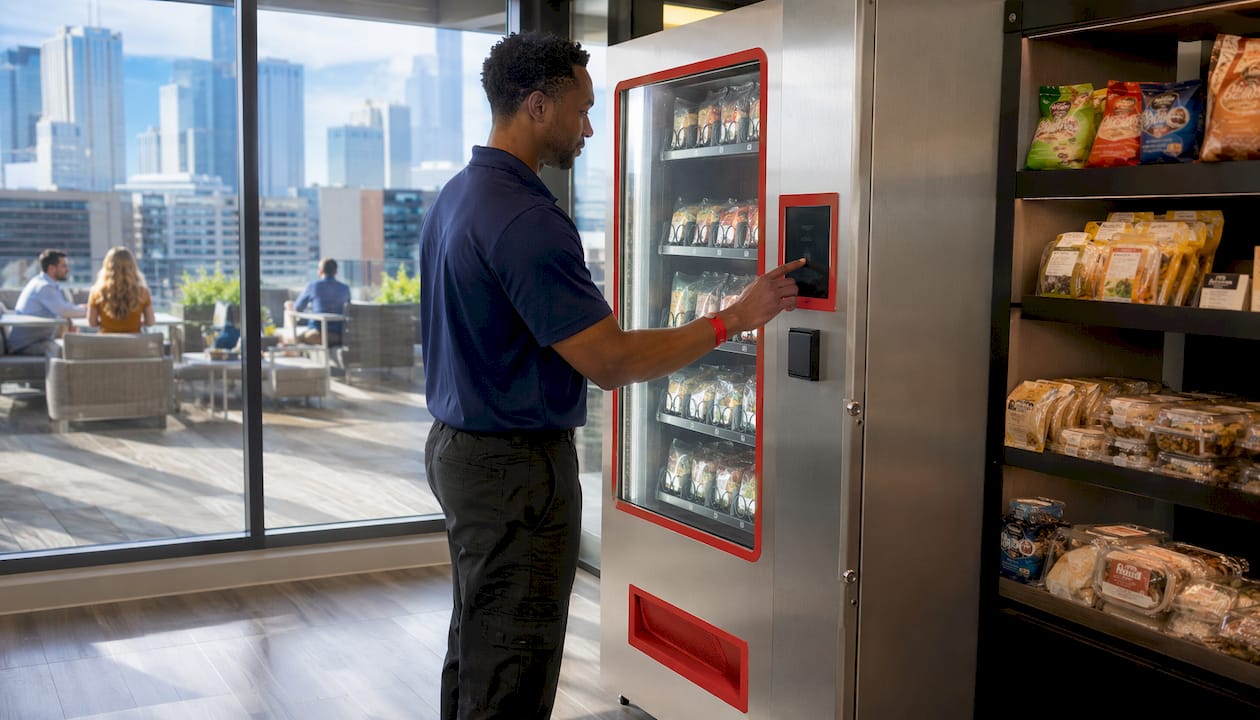
Standard 110V outlets are typically sufficient for the entire footprint — no major electrical upgrades, no plumbing, no grease traps. A typical installation runs approximately 100 to 150 square feet, though compact configurations exist for tighter spaces. The physical components include:
- Open shelving units for ambient snacks and packaged goods
- Refrigerated cases for beverages and fresh meals
- AI grab-and-go smart coolers (optional, higher-end installations)
- Secure locked cabinets for high-value or age-restricted items
- Self-checkout kiosk with integrated card reader and scanner
- HD cameras covering the kiosk and shelving perimeter
Software features to require
The management platform is where operators separate themselves. Require these capabilities before signing:
| Feature | Why it matters |
|---|---|
| Real-time inventory tracking | Prevents stockouts and reduces waste from expired items |
| Sales dashboard with export | Lets you pull data for internal reporting and business cases |
| Automated restock alerts | Triggers demand-driven restocking instead of fixed schedules |
| Pricing and subsidy controls | Allows employer subsidies or promotional pricing by SKU |
| Payroll/employee card integration | Simplifies accounting and increases transaction speed |
| Exception and anomaly alerts | Flags inventory variances that may indicate shrinkage |
Payment options matter operationally. Credit and debit cards are table stakes. Mobile wallet support (Apple Pay, Google Pay) speeds checkout and reduces kiosk queue time. Payroll deduction or employee account cards require integration with your HR or payroll system — confirm the vendor has done this integration before, and ask for a reference from a similar-sized site.
Contractual service levels to require in writing: kiosk uptime above 98%, restock windows within 48 hours of a threshold alert, and equipment repair response within one business day.
Why do offices adopt micro-markets?
The business case has two sides: what employees experience and what operations actually saves.
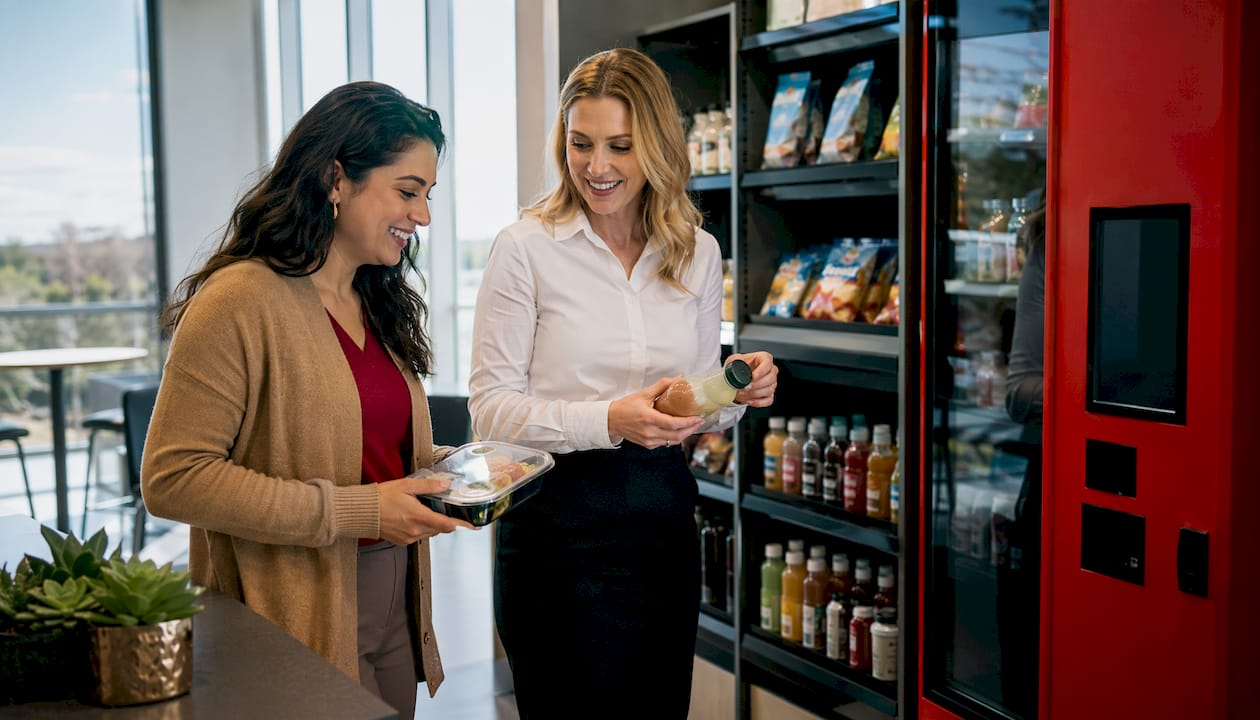
On the employee side, the difference is tangible. Fresh food options, 24/7 access, and a checkout process that takes under 60 seconds change how people use their break time. CBRE research consistently shows that access to food and drink ranks high among valued workplace amenities, and that employees are more likely to stay on-site for a full workday when they do not need to leave for lunch. Fewer off-site trips means less parking demand, fewer access control events, and fewer workflow interruptions.
For operations and finance, the math is straightforward:
- No staffing overhead. A micro-market runs unattended. A staffed cafeteria requires cooks, cashiers, and a manager — costs that compound quickly.
- No plumbing or kitchen infrastructure. Unlike a canteen, a micro-market avoids commercial kitchen equipment, grease traps, and the associated maintenance contracts.
- Vendor-managed restock and maintenance. Your facilities team fields zero food-service calls. The vendor owns the supply chain, the rotation schedule, and the equipment repairs.
- Data for building operations. Smart technology tracks purchasing habits, peak usage times, and location-specific preferences. Some platforms integrate with building management systems, letting you view food service data alongside HVAC and security information.
- Higher revenue per square foot than equivalent vending routes, driven by fresh food and larger average basket sizes.
When briefing HR or finance, frame it this way: a micro-market replaces a staffed cafeteria or a cluster of vending machines with a vendor-managed service that costs the host business nothing, generates data, and gives employees a benefit they can see and use every day. That combination is hard to argue against in a budget meeting. For a deeper look at how refreshment services connect to retention, the workplace satisfaction research from Jeeves Vending is worth reviewing before your next HR conversation.
How do you handle security and loss prevention?
Shrinkage is the honest conversation most vendors avoid in the sales pitch. Plan for it, and you will not be surprised.
New micro-market installations typically see shrinkage in the low single-digit percentages in the first 90 days. Once the customer base normalizes and visible deterrents are in place, shrinkage decreases to lower levels at steady state. That range is manageable and well within the economics of the model, but you need to set it as a KPI from day one.
| Phase | Typical shrinkage rate | Primary driver |
|---|---|---|
| Launch (days 1–90) | 2–4% | New users, unfamiliar checkout flow, low deterrent visibility |
| Steady state | 1–2% | Established norms, visible cameras, signage, regular audits |
Loss prevention tools that actually move the needle:
- HD cameras positioned to cover the kiosk, shelving, and entry point — visible placement is the deterrent, not just the recording
- Smart cooler locks on refrigerated cases containing higher-value items
- AI grab-and-go sensors in advanced coolers that log exactly what was removed
- Clear signage reminding users the space is monitored and transactions are tracked
- Daily transaction reconciliation by the vendor, with variance reports shared with the facility manager weekly
Operationally, require your vendor to provide exception alerts when inventory variance exceeds a set threshold (typically 3–5% per restock cycle). Daily transaction reviews during the first 90 days catch problems before they become patterns. For access control considerations, the supervised vending access guide covers how to layer badge access or controlled entry when your site warrants it.
Pro Tip: Post a small sign at eye level near the kiosk that reads “All transactions are recorded and monitored.” It costs nothing and measurably reduces opportunistic theft during the launch period.
Red flags in a vendor agreement: no written shrinkage resolution process, missing analytics access for the facility manager, and ambiguous language on who absorbs inventory losses above a defined threshold. If a vendor cannot answer those three points clearly before you sign, walk away.
What does installation look like, and who pays?
Installation is faster than most facility managers expect. A micro-market can typically be installed within a day or two, with the vendor handling cabinetry, coolers, kiosk setup, and initial stocking. The full procurement-to-launch sequence looks like this:
- Site walk (week 1): Facilities team and vendor assess space, electrical access, ADA routing, and restock path.
- Layout approval (week 2): Vendor presents a planogram and equipment list; facility manager signs off on footprint and SKU mix.
- Equipment delivery and install (week 3–4): Coolers, shelving, and kiosk arrive; installation is typically completed in one day with minimal disruption.
- Initial stocking and configuration (install day): Vendor stocks the market, configures pricing and payment systems, and tests the kiosk.
- Launch week marketing (week 4–5): Internal communications, signage, and a launch promotion (first-purchase discount or free item) drive initial adoption.
Site requirements checklist
- Minimum 100 square feet of dedicated floor space (150 sq ft is ideal)
- Standard 110V electrical outlets within reach of each cooler and the kiosk
- ADA-compliant routing with no obstructions to the kiosk or shelving
- Clear restock path from a service entrance, wide enough for a hand truck
- Adequate lighting and line-of-sight for security cameras
Cost models
The most common model for offices is vendor-provided at no upfront cost: the vendor installs and owns the equipment, manages all operations, and earns revenue from product sales. The host business pays nothing. This is the model Jeeves Vending uses in the Dallas-Denton region, and it removes the capital expenditure question entirely from your procurement conversation.
Other models exist:
- Leased equipment: the host business leases hardware and pays a monthly fee; the vendor manages operations. Lower vendor margin, but adds a line item to your budget.
- Direct purchase: the host buys equipment outright and either self-operates or contracts a management service. Higher upfront cost, full control.
- Employer-subsidized pricing: the host business funds a per-employee credit or covers a percentage of each transaction, effectively turning a user-paid micro-market into a partial pantry benefit.
For most facility managers evaluating a first installation, the no-upfront-cost vendor model is the lowest-risk entry point. ROI is driven by product sales volume, which is why the foot traffic threshold matters so much before you commit.
How should you stock and merchandise a micro-market?
Product selection is where micro-markets win or lose employee adoption. A poorly merchandised market with the wrong SKU mix will see declining transactions within 60 days.
Core assortment categories to brief your vendor on:
- Snacks: chips, nuts, protein bars, crackers, candy — the high-velocity staples that drive daily transaction frequency
- Beverages: water, sparkling water, energy drinks, juices, cold brew coffee — refrigerated cases should be stocked to visual fullness at all times
- Fresh meals: salads, sandwiches, wraps, grain bowls — the category that differentiates a micro-market from vending and drives the highest average ticket
- Healthy and dietary options: low-sugar, gluten-free, vegan, and high-protein items — increasingly expected and worth 15–20% of shelf space in most office demographics
- Specialty items: local brands, seasonal products, and branded merchandise that signal the market is curated, not generic
Merchandising basics that matter in practice: place fresh meals at eye level in the refrigerated case, put impulse items (candy, gum, small snacks) near the kiosk, and rotate seasonal products every 6–8 weeks to keep the market feeling current. A planogram — a visual diagram of where each product category sits — should be part of your vendor agreement, not an afterthought.
Telemetry data should drive assortment changes. If a SKU has not sold in two restock cycles, it should be replaced. If a fresh item sells out before the next restock, the par level needs to increase. Ask your vendor to share velocity reports monthly and use them to run simple A/B tests: swap one underperforming SKU for a new option and measure the difference over four weeks. For guidance on customizing the product mix for your specific workforce, Jeeves Vending’s HR menu guide covers the demographic variables worth considering.
For offices under 150 square feet or hybrid work schedules with lower midweek traffic, focus on a tighter SKU mix of 60–80 high-velocity items rather than trying to hit 400 SKUs. A well-stocked compact market can often outperform a sparse large one.
What should a vendor be responsible for, and why Jeeves Vending fits that scope?
A well-structured vendor agreement covers more than just restocking. Here is the standard scope of work a facility manager should expect from any micro-market operator:
- Installation: equipment delivery, setup, kiosk configuration, and initial stocking
- Restocking and product rotation: demand-driven restock cycles with fresh item rotation by expiration date
- Telemetry monitoring: real-time inventory and sales tracking with exception alerts
- Maintenance and repairs: kiosk, cooler, and camera maintenance with a defined response SLA
- Insurance and liability: the vendor carries product liability and equipment insurance; the contract should specify who absorbs shrinkage above a defined threshold
- Reporting: regular sales and inventory reports shared with the facility manager
Contract language to require: a written SLA for kiosk uptime (98%+), restock windows (within 48 hours of a threshold alert), equipment repair response (within one business day), a shrinkage resolution process, and clear exit terms if the relationship is not working.
Jeeves Vending covers this full scope for offices, hospitals, gyms, and schools in the Dallas-Denton region, with no upfront cost to the host business. Their model includes tailored micro-market layouts, continuous support, and remote monitoring — the three things that matter most in the first 90 days when adoption and shrinkage are both at their highest. You can review their micro-market service details and reasons to choose Jeeves before requesting a site assessment.
When verifying any vendor, ask for: two references from similar-sized sites, a sample SLA document, a recent case study with sales and shrinkage data, and a live demo of the remote reporting dashboard they will give you access to.
How do you choose a micro-market vendor step by step?
Work through this checklist in order. Skipping steps is how facilities teams end up locked into a vendor with no reporting access and no exit clause.
- Validate the site. Confirm headcount (75+ employees on-site daily is the practical floor), available square footage, electrical access, and restock path before contacting vendors.
- Define the model. Decide between user-paid micro-market, employer-subsidized pricing, or pantry service before issuing an RFP — the model determines the contract structure and KPI expectations.
- Issue a short RFP or vendor brief. Include site address, headcount, preferred launch window, dietary requirements, ADA constraints, and reporting expectations.
- Evaluate pilot terms. A reputable vendor will offer a pilot period (typically 90 days) with defined exit terms. If a vendor resists a pilot, that is a red flag.
- Score vendors on four criteria: technical fit (hardware and software specs), commercial fit (cost model and commission terms), launch plan (installation timeline and marketing support), and data transparency (reporting access and frequency).
- Check references. Call two references from similar sites. Ask specifically about shrinkage handling, restock reliability, and how quickly the vendor responded to equipment issues.
- Review contract language. Confirm SLA terms, shrinkage liability, insurance coverage, and exit terms are all in writing before signing.
Questions to ask every vendor during evaluation:
- What is your kiosk uptime SLA, and how do you measure it?
- How quickly do you restock after a threshold alert, and what triggers the alert?
- Who absorbs shrinkage above your defined threshold, and how is it calculated?
- What payment methods does your kiosk support, and have you integrated payroll deduction before?
- What data will I have access to, and how often will you share reports?
- What insurance do you carry, and does it cover product liability?
- What are the exit terms if we end the agreement before the contract period?
- Can you provide two references from similar-sized sites?
Timeline estimate: site validation to launch typically runs 4–6 weeks when the vendor is responsive and the site is ready. Red flags that should stop a deal: no formal SLA document, vague answers on shrinkage liability, no reporting access for the facility manager, and hidden fees not disclosed in the initial proposal.
How do micro-markets work differently across industries?
The core model is the same, but configuration and KPIs shift meaningfully by site type.
Office (typical mid-sized, 150–300 employees):
- Footprint: 100–150 sq ft in or adjacent to the main break room
- SKU mix: 60–120 SKUs weighted toward fresh meals, premium beverages, and healthy snacks
- Launch promotion: first-purchase discount or a free item with a new employee account registration drives early adoption fast
- Key metric: average daily transactions and fresh food sell-through rate
Hospital or healthcare facility:
- Night-shift demand is the defining variable. A hospital micro-market needs to be stocked for 11 PM purchases as reliably as noon ones, which means higher par levels on fresh meals and a restock cadence that accounts for overnight velocity.
- Per-ticket averages tend to run higher because clinical staff often buy full meals rather than snacks.
- ADA compliance and placement near staff-only corridors (not public waiting areas) are non-negotiable.
24/7 manufacturing or distribution center:
- Equipment needs to be ruggedized for dusty or high-humidity environments.
- High-velocity SKUs dominate: energy drinks, protein bars, and quick-meal options that shift workers can grab in under two minutes.
- Stocking cadence follows shift patterns — a distribution center running three shifts needs restock windows that do not conflict with shift changes or peak production periods.
The common thread across all three: captive traffic patterns drive micro-market success more than raw headcount. A 24/7 facility with 80 employees can outperform a 9-to-5 office with 200 because the traffic is consistent and the alternatives are limited.
Key Takeaways
A micro-market works in an office when foot traffic is consistent, fresh food demand is real, and the vendor manages all operations at no cost to the host business.
| Point | Details |
|---|---|
| Foot traffic threshold | Operators target 75–200+ on-site employees; 24/7 sites can work at lower headcounts. |
| Shrinkage expectations | Plan for 2–4% in the first 90 days; steady state drops to 1–2% with cameras and signage. |
| Installation speed | Most installs complete in one to two days using standard 110V power with no plumbing required. |
| Vendor scope | Require written SLAs for uptime (98%+), restock windows (48 hours), and shrinkage liability. |
| Jeeves Vending | Installs and manages custom micro-markets in the Dallas-Denton region at no upfront cost to the host business. |
The part most facility managers get wrong
The most common mistake is treating a micro-market like a vending machine upgrade. It is not. It is a retail operation that happens to sit inside your building, and the vendor is your retail partner, not just a service contractor.
That distinction changes how you evaluate proposals. A vending machine vendor who cannot show you a live reporting dashboard, cannot name their shrinkage resolution process, and cannot provide a reference from a site your size is not ready to run a micro-market. The technology and the operational discipline are inseparable. Telemetry without action is just data. A kiosk without a restock SLA is just a checkout counter next to empty shelves.
The other thing worth saying plainly: the no-upfront-cost model is genuinely good for most offices, but it is not free. The vendor earns margin on every product sold. That is the trade. What you are buying is operational simplicity — no capital expenditure, no staffing, no supply chain management. If your organization has the appetite to own the equipment and manage the operation, direct purchase gives you more control and better margin. Most facility managers do not want that job, and the vendor-managed model exists precisely for that reason.
Run a 90-day pilot before committing to a multi-year agreement. Set three KPIs before launch: average daily transactions, shrinkage rate, and fresh food sell-through. Review them at day 30, day 60, and day 90. If the numbers are moving in the right direction, extend. If they are not, you need a different vendor or a different model — and a well-written pilot agreement gives you that exit.
Jeeves Vending installs micro-markets in Dallas-Denton at no cost to your business
Zero equipment cost, zero staffing, and a vendor that handles everything from layout design to daily telemetry monitoring. That is the Jeeves Vending model for offices, hospitals, gyms, and schools across the Dallas-Denton region.
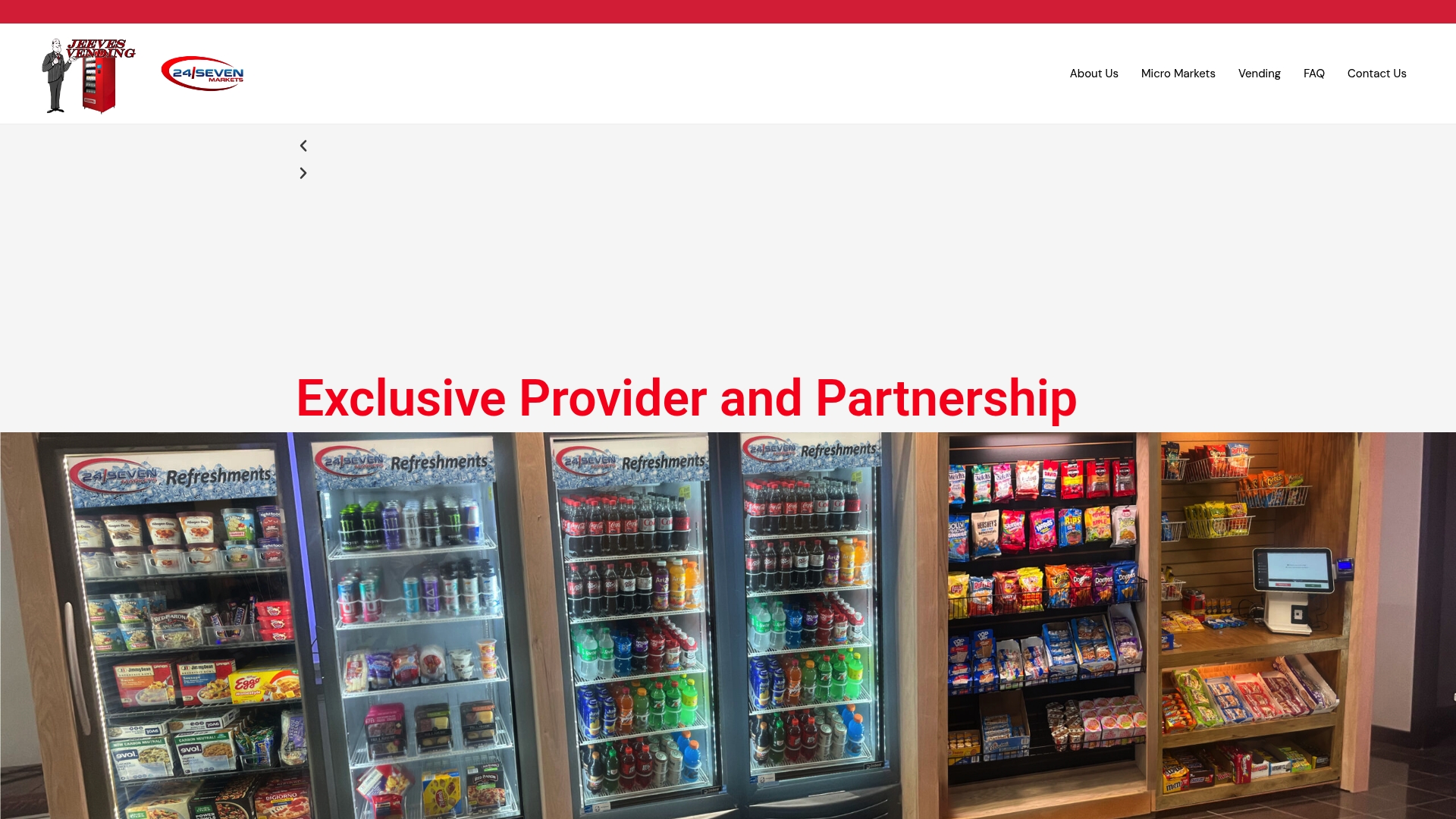
When you reach out, have these details ready: your site address, approximate on-site headcount, preferred launch window, and any dietary or ADA requirements. Jeeves Vending will schedule a site walk, design a custom layout, and deliver a pilot proposal with clear SLA terms. No vague commitments, no hidden fees. To see the full range of smart coolers and kiosk options available, or to request a site assessment directly, visit the Jeeves Vending micro-markets page or call the team now to get your pilot on the calendar.
Further reading and authority sources
These sources are worth bookmarking when you are building an RFP or making the internal business case to leadership.
- Buildings.com: How Micro Markets Support Day-to-Day Building Operations — The strongest operations-focused piece available. Use it to justify the reduced staffing overhead and data integration arguments when briefing building ownership.
- VMFS USA: Micro Markets — The Complete Operator Guide — Detailed on SKU ranges, foot traffic thresholds, shrinkage benchmarks, and revenue comparisons. Pull the shrinkage figures and headcount thresholds directly into your RFP evaluation criteria.
- Epic Breakrooms: How Do Micro Markets Work for Workplaces? — Good on telemetry mechanics and demand-driven restocking. Useful when evaluating whether a vendor’s software platform is genuinely cloud-based or just a scheduled export.
- Cantaloupe: Your Guide to Micro Markets eBook — Covers software integration, driver routing, and multi-location management. Most relevant if you are evaluating a vendor who operates across multiple sites in your portfolio.
- Feel Good Market: Complete Guide for Office Managers — Practical on placement, consultation process, and how to brief a vendor on space and headcount. Good starting point for a first RFP.
When using these sources in an internal business case, lead with the Buildings.com piece for the operations argument, the VMFS operator guide for the financial model, and the Epic Breakrooms piece for the technology explanation. Together, they cover the three questions finance and HR will ask: what does it cost us, what does it save us, and how does it actually work.