
A micro market kiosk is a self-service checkout station that anchors an open-shelf retail setup combining snacks, fresh food, and smart coolers where employees scan and pay without a cashier. For most workplaces, the smartest move is partnering with a managed provider that handles installation, stocking, and maintenance rather than building the system piece by piece. Done right, it delivers wider variety, bigger average purchases, and cashless convenience employees actually use.
TL;DR:
- Partnering with a managed provider ensures efficient installation, proper stocking, and ongoing maintenance, which is vital for maximizing sales potential.
- Hardware options range from small 10-inch touchscreens to advanced AI-vision kiosks capable of vending fragile or irregular items, depending on space and traffic.
- Software features like real-time inventory management, remote price updates, and contactless payment support are essential for smooth operations and sales growth.
- Micro markets significantly increase revenue by encouraging browsing and offering fresh, diverse products that boost average transaction value.
- Ongoing maintenance involves daily freshness checks, temperature monitoring, and timely restocking, with remote alerts enhancing operational oversight.
Table of Contents
- What Does a Micro Market Kiosk Setup Include?
- Which Hardware Options Fit Your Space?
- What Software and Payment Features Actually Matter?
- Does a Micro Market Actually Increase Revenue?
- How Do You Plan and Evaluate a Micro Market Installation?
- What Does Ongoing Maintenance Actually Look Like?
- Why Jeeves Vending Recommends a Managed Model
- Get a Free Site Assessment for Your Workplace
- Where to Learn More
- Sources
What Does a Micro Market Kiosk Setup Include?
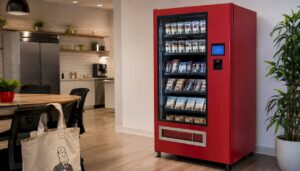
A micro market kiosk isn’t a single machine. It’s a small retail environment built around a self-checkout terminal, and it works nothing like a row of coin-op vending machines bolted to a wall.
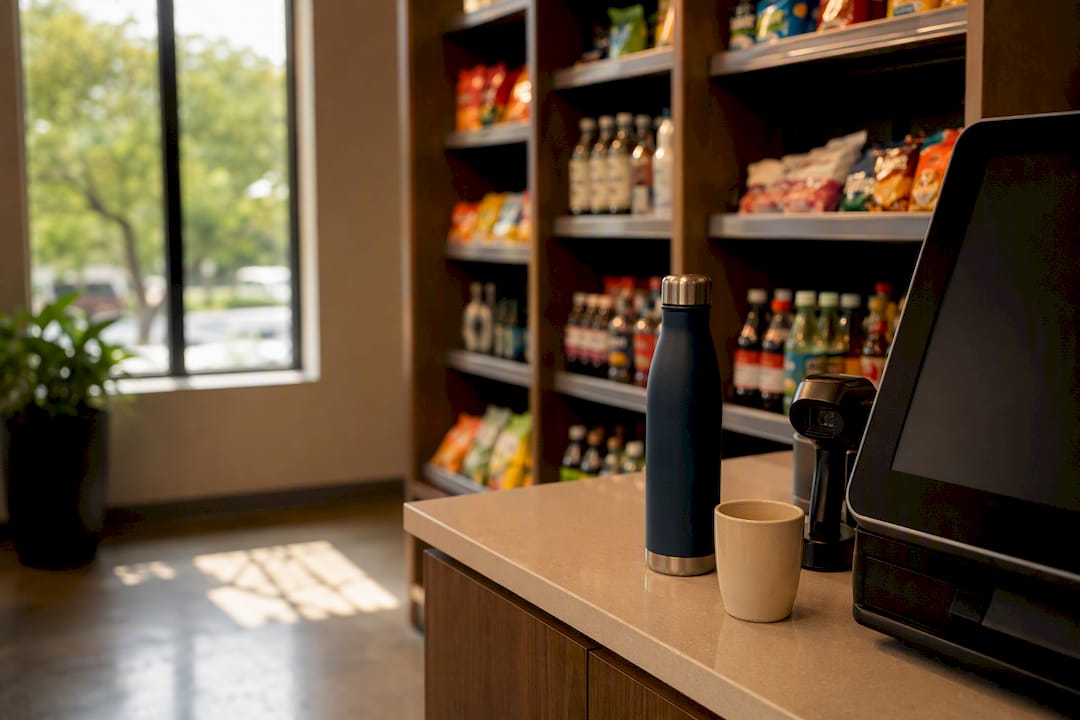
The typical setup pairs a touchscreen kiosk with a barcode scanner or camera, open shelving units, one or more smart coolers, a security camera, and a POS system running in the background. Shoppers walk in, grab what they want off the shelf, and scan it themselves at the self-checkout kiosk before tapping a card or phone to pay.
That open format is the real difference from traditional vending. There’s no coil to jam, no size restriction, and no guessing what’s behind door number four. Micro markets typically carry a far deeper SKU count, including fresh sandwiches, salads, and produce that a spiral vending machine simply can’t hold.
- Touchscreen kiosk with barcode scanner or camera vision
- Open shelving for snacks, grab-and-go meals, and dry goods
- Smart coolers for drinks, dairy, and perishables
- Security camera and loss-prevention sensors
- Cloud-connected POS handling pricing and reporting
You’ll find these setups in offices, gyms, hospitals, and college campuses, anywhere people have limited break time and want more than a candy bar.
Which Hardware Options Fit Your Space?
Kiosk hardware ranges from a simple 10-inch touchscreen to full robotic picking systems, and the right choice depends on your footprint and product mix. Smaller break rooms with 30 to 60 employees generally do fine with an entry-level kiosk built around a compact touchscreen and barcode scanner, similar to the Micro Market Mini form factor designed for tight corners and shared kitchenettes.
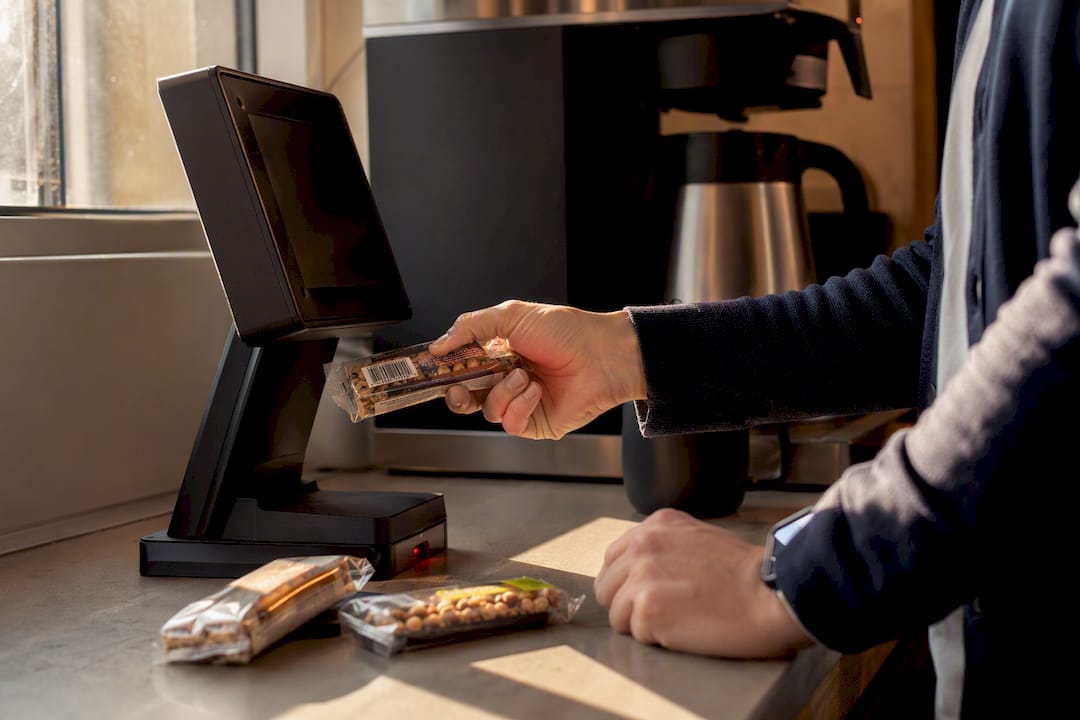
Full-size kiosks make more sense for high-traffic locations like hospital cafeterias or manufacturing floors, where multiple payment terminals and higher throughput matter more than saving square footage.
At the top end, AI-vision and robotic kiosks use camera recognition and mechanical arms instead of coils, which means they can vend frozen items, fragile packaging, or oddly shaped products that would jam a standard machine. They cost more upfront, but they open up categories vending has never handled well.
- Entry-level kiosk: 10 inch touchscreen, barcode scanner, ideal for small offices
- Mini kiosk: compact mount for break rooms and tight footprints
- Full-size kiosk: higher throughput, multiple payment options
- AI-vision/robotic kiosk: handles frozen, fragile, or irregular items at a premium cost
The global self-service kiosk market was valued around $34.36 billion in 2024, with North America leading adoption and hardware still the largest revenue segment. That scale explains why more manufacturers keep pushing smarter, more flexible kiosk designs into the market every year.
What Software and Payment Features Actually Matter?
The kiosk hardware gets the attention, but the software behind it decides whether the market runs smoothly or turns into a daily headache. Look for a platform that handles inventory tracking, remote price and planogram updates, and sales analytics you can check without walking to the site.
Payment flexibility matters just as much. Employees expect to tap a credit card, a mobile wallet like Apple Pay or Google Pay, or in some cases a company badge, and a kiosk that only accepts cash or chip cards will lose sales fast.
- Real-time inventory and low-stock alerts
- Remote pricing, promotions, and planogram control
- Contactless, mobile wallet, and company card payment support
- Fridge temperature monitoring and kiosk error alerts
- PCI-compliant payment processing
Ask any vendor how they alert you to a down kiosk or a warm cooler before an employee complains. That answer tells you more about the software than any features list will.
Does a Micro Market Actually Increase Revenue?
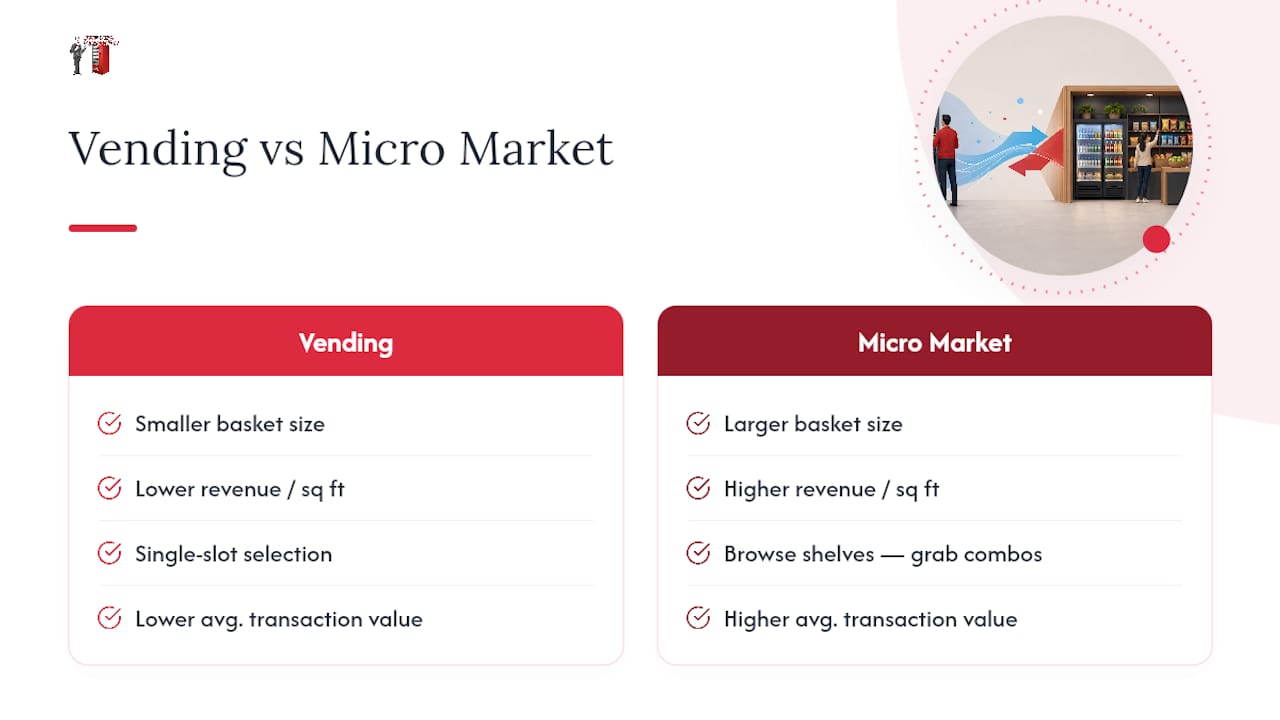
Micro markets consistently outperform traditional vending on both basket size and revenue per square foot, largely because shoppers browse instead of committing to a single slot selection. Vendors and operators report higher average transaction values once a location swaps coil machines for an open-shelf market, since people tend to grab a drink and a snack together instead of choosing just one item.
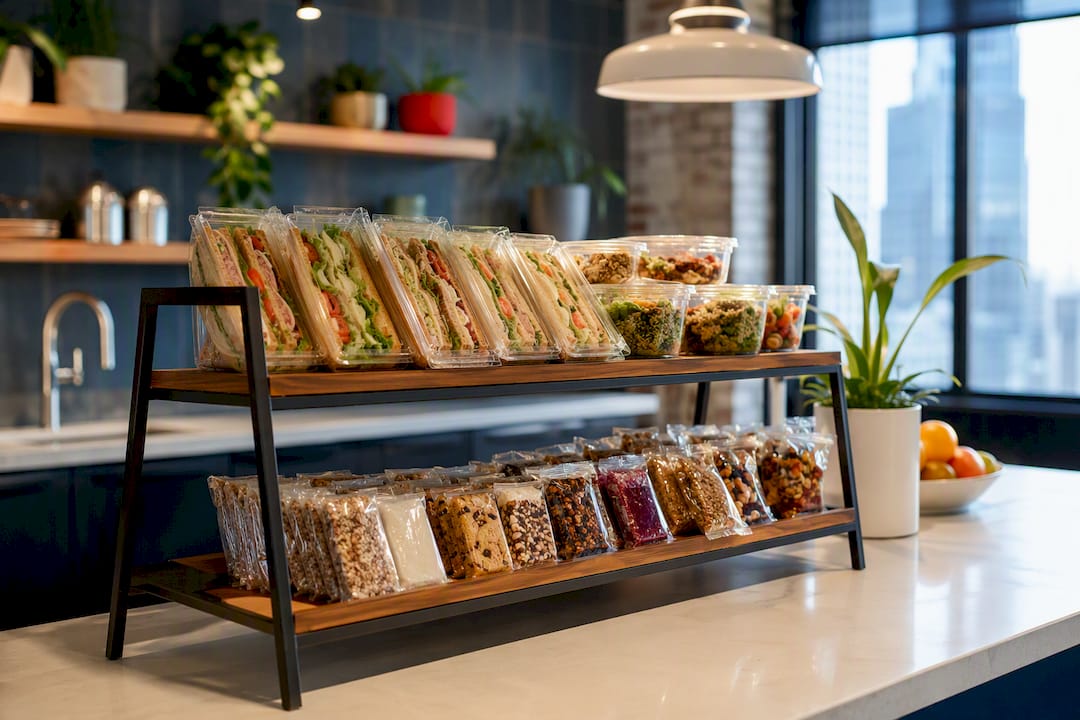
Beyond the numbers, employees notice the upgrade. Fresh sandwiches and salads next to protein bars and chips give people a real lunch option without leaving the building, which cuts down on long off-site breaks. Digital signage on the kiosk screen adds another layer, letting operators run promotions or highlight new products without printing a single flyer.
Pro Tip: *Ask your vendor whether the kiosk screen can run rotating promotions.
How Do You Plan and Evaluate a Micro Market Installation?
Before signing with any vendor, walk the space with a checklist in hand. A few overlooked details, like outlet placement or door width, can turn a simple install into a multi-week delay.
- Confirm available power outlets and network drops near the proposed location.
- Measure floor space and clearance for ADA-compliant access to the kiosk and shelving.
- Identify a waste and recycling plan for packaging and expired food.
- Determine if refrigeration needs exceed a standard smart cooler’s capacity.
- Ask for the vendor’s restocking cadence and average response time for service calls.
- Request a sample planogram matched to your employee demographics.
- Confirm you’ll get reporting and pricing access, not just the vendor.
- Ask about uptime guarantees and what happens if the kiosk goes offline.
- Get a clear cost breakdown: equipment, installation, and ongoing service fees.
- Ask how long from signed agreement to a fully stocked, working market.
Pro Tip: Get every SLA commitment in writing, especially restocking frequency and repair response time. Verbal promises during a sales pitch rarely match what shows up in the contract.
A facility manager’s guide to self-checkout micro markets can help you turn these questions into a formal RFP if you’re comparing multiple vendors.
What Does Ongoing Maintenance Actually Look Like?
Installation day is the easy part. The real work is the daily and weekly rhythm of keeping a market stocked, clean, and running, and new operators routinely underestimate that workload.
Fresh food needs expiry checks on a set schedule, not a “whenever someone notices” basis, since a single spoiled sandwich sitting on a shelf undermines trust in the entire market; for best practice, see the Ordering Fresh Food Workflow to ensure peak-quality takeout and customer satisfaction. Operators carrying perishables should also keep an eye on FDA food safety guidance for unattended retail formats.
- Set a fixed restocking schedule based on traffic, not guesswork
- Pull expired fresh food daily; check dates during every restock
- Monitor cooler temperature and kiosk uptime remotely
- Keep signage and pricing current after every promotion change
- Have a simple troubleshooting path for scanner or network failures before calling for service
Pro Tip: Request temperature and stock alerts sent directly to your phone or email. Catching a warm cooler at 8 a.m. beats finding out from an employee complaint at noon.
Why Jeeves Vending Recommends a Managed Model
Most facility managers don’t have time to source hardware, negotiate with a food distributor, and troubleshoot a jammed scanner between meetings. Jeeves Vending built its model around removing that burden entirely: free placement, an assortment tailored to your workforce, hands-on installation, and ongoing service that doesn’t disappear after the ribbon-cutting.
That turnkey structure is why we point operators toward a managed micro market instead of piecing one together themselves. The operational risk sits with us, not with you.
— Gary
Get a Free Site Assessment for Your Workplace
If you’ve read this far, you already know a micro market kiosk only pays off when installation, stocking, and maintenance are handled by people who do it every day. Jeeves Vending installs and manages the entire setup at no upfront cost to your business, so you get the variety and convenience without adding another vendor to babysit.
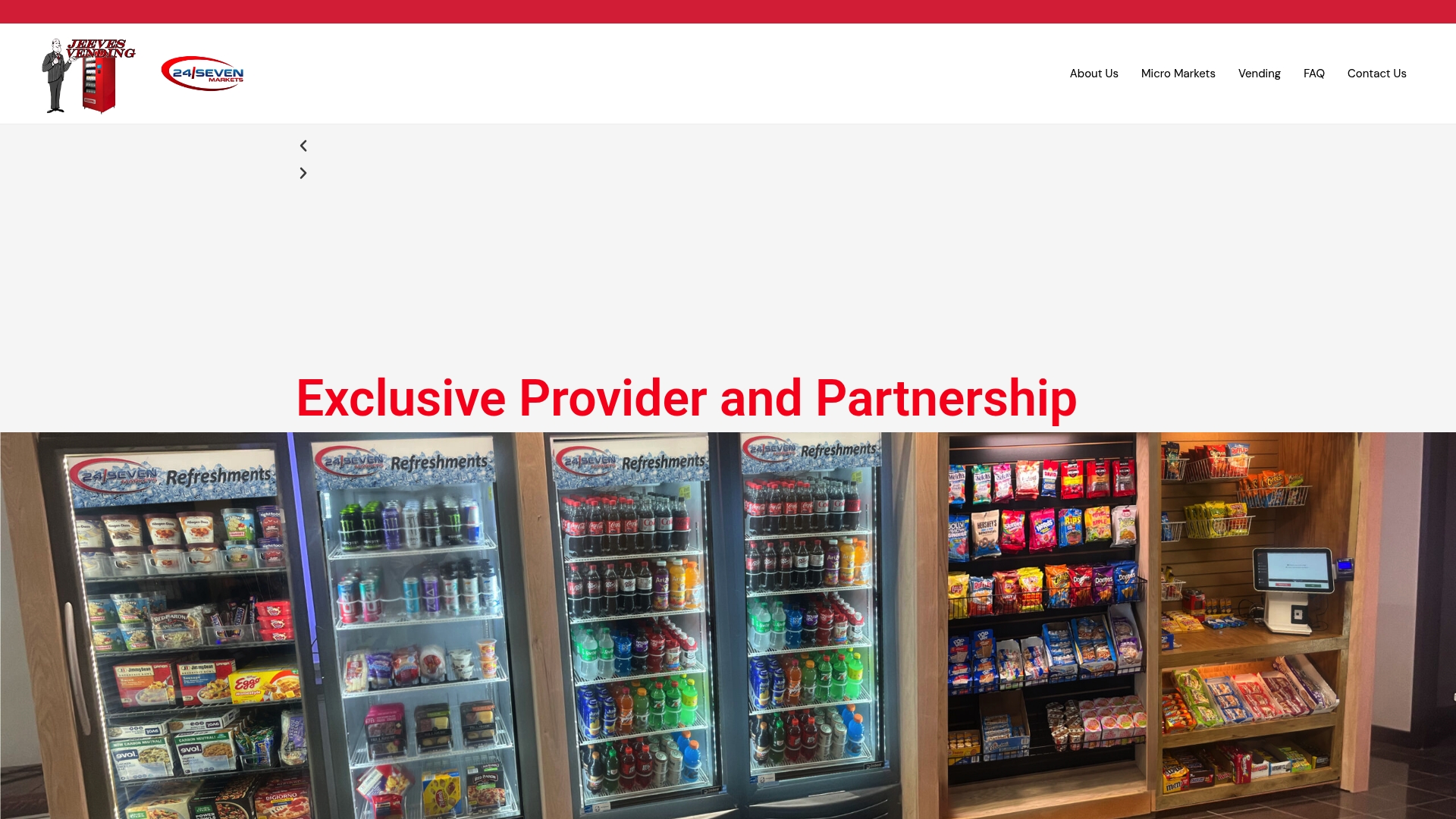
We start with a free site assessment to check power, space, and traffic patterns, then build a product mix suited to your team before installing the micro market. If you manage an office, gym, hospital, or campus and want to see whether the space fits, schedule a free site assessment today, or grab our facility manager’s guide to office micro markets if you’re still comparing options with your team.
Where to Learn More
The National Automatic Merchandising Association publishes an industry overview covering micro market standards and operator resources. For food safety expectations around unattended fresh food, review FDA guidance documents. Market sizing and hardware trends are tracked in the self-service kiosk industry report covering growth projections through 2030.
Sources
- Embodied AI & Robotic Vending Kiosks | KioskForce
- Micro Market Vending Solutions | Self-Checkout, Smart & Scalable
- Self-service Kiosk Market Size, Share | Industry Report, 2030