
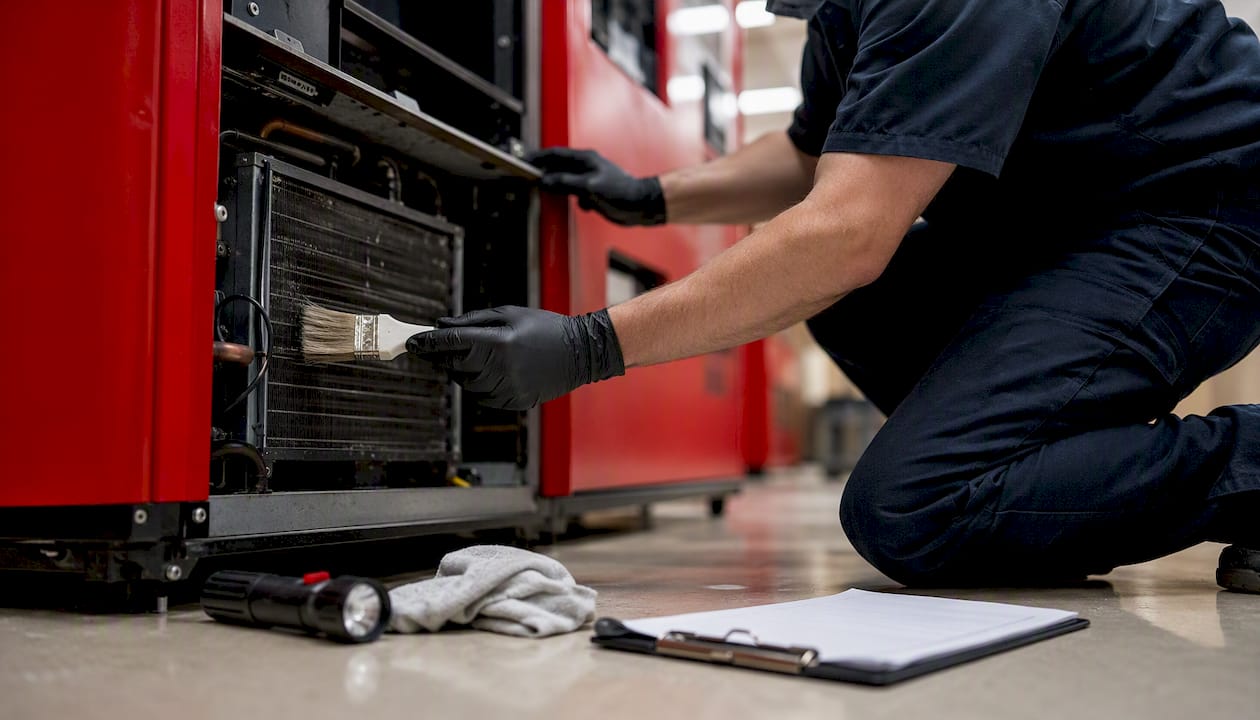
A hospital vending machine maintenance checklist built around four cadences — daily, weekly, monthly, and quarterly — keeps machines hygienic, refrigerated stock safe, and downtime near zero. According to hospital-specific vending maintenance guidance, daily cleaning and quick-function checks, weekly stock rotation and interior inspections, monthly deep-cleans with payment-system care, and quarterly condenser and sanitation work together prevent the vast majority of service failures in clinical environments.
Print this and clip it to each machine’s service log:
- Daily (5–10 min): Wipe exterior and keypad with hospital-grade disinfectant, run a quick vend and payment test, check for jams, verify refrigeration display
- Weekly (15–20 min): FIFO stock rotation, expiry-date sweep, interior visual inspection, bill-path and coin-slot cleaning, spiral/coil alignment check
- Monthly (30–45 min): Full interior deep-clean, fan and airflow check, bill validator cleaning card, coin mech and card reader contact cleaning, temperature log review
- Quarterly (45–60 min): Condenser coil cleaning, door seal inspection, compressor symptom check, high-wear part inspection, full interior sanitation, firmware review
Key Takeaways
A structured daily-to-quarterly hospital vending maintenance checklist, combined with telemetry-driven escalation, keeps machines hygienic, refrigerated stock safe, and unplanned downtime close to zero.
| Point | Details |
|---|---|
| Daily hygiene is non-negotiable | Wipe exterior surfaces and run a payment test every visit; log temperature on refrigerated units. |
| Monthly validator care prevents lost sales | Run a cleaning card through the bill validator and clean card reader contacts every month. |
| Telemetry plus schedule reduces truck rolls | Configure alerts for temperature excursions and payment errors so problems generate tickets before the next visit. |
| Log every visit with required fields | Record date, tech, tasks, temperature readings, parts replaced, and next-visit notes to support compliance reviews. |
| Jeeves Vending manages it end-to-end | In the Dallas-Denton region, Jeeves Vending provides fully managed machines with built-in telemetry and proactive maintenance at no cost to the host facility. |
Table of Contents
- What does your daily hospital vending machine maintenance checklist look like?
- Weekly inspections that keep hospital snack machines reliable
- Monthly deep-clean and technical checks that reduce service calls
- Quarterly and annual work: condensers, gaskets, and high-wear parts
- How do you keep payment systems and telemetry working in a hospital vending machine?
- What temperature should a hospital vending machine refrigerator maintain?
- Restocking best practices for hospital vending machines
- How do you troubleshoot common hospital vending machine problems fast?
- How to build a preventive maintenance schedule that actually reduces truck rolls
- What cleaning supplies and PPE are safe for hospital vending machines?
- Recordkeeping, compliance, and coordination with infection control
- Sample maintenance schedule template and downloadable checklist
- An example hospital vending maintenance program: SLAs, KPIs, and a pilot workflow
- Why hospitals should treat vending maintenance differently from any other location
- Jeeves Vending handles the maintenance so your team does not have to
- Sources
What does your daily hospital vending machine maintenance checklist look like?
Five checks, done in under ten minutes, prevent most of the problems that generate complaints or food-safety incidents. The VendSoft operator checklist recommends logging every visit with the date, tasks completed, and any anomalies noted — a habit that pays off fast when you need to prove compliance to an infection-control auditor.
Daily quick-check card (print one per machine):
- Wipe the exterior cabinet, glass, keypad or touchscreen, and delivery bin with a hospital-grade disinfectant rated safe for food-contact surfaces (quaternary ammonium or hydrogen peroxide-based products work well on most surfaces; confirm compatibility with the manufacturer)
- Run one test vend to confirm product dispenses cleanly
- Test at least one payment method — card tap, card swipe, or bill insert — and confirm the transaction completes or cancels correctly
- Inspect the door seal and lock; note any visible damage
- Glance at the temperature display on refrigerated units; flag any reading outside the normal range immediately
- Pull any items with today’s expiration date; rotate partial stacks so older product sits at the front
Pro Tip: To test a payment system without a real charge, use a staff card and immediately void or refund the transaction through the machine’s operator menu, or use the machine’s built-in test mode if the manufacturer supports it. Never leave a test charge uncanceled.
High-traffic hospital machines — near emergency departments or main lobbies — warrant a second quick pass mid-shift. A machine that jams at 2 PM and goes unnoticed until the next morning generates refund requests, complaints, and a potential food-safety gap if the refrigeration alarm was also missed.
Weekly inspections that keep hospital snack machines reliable
Six to eight tasks done once a week catch the mechanical drift and hygiene buildup that daily checks miss. Think of the weekly visit as the first real diagnostic layer: you are looking for patterns, not just problems.
Weekly checklist:
- Remove all product and wipe interior product bays, shelves, and dispense chutes with a food-safe sanitizer; allow surfaces to dry fully before restocking
- Check every spiral or coil for alignment and tension; a coil that has shifted even slightly will jam the next item in that slot
- Inspect product lanes for crumbs, sticky residue, or foreign objects
- Clean the bill-entry slot and coin-return path with a dry lint-free cloth; remove any debris visible at the entry point
- Run a bill-validation test with a known-good bill in each denomination the machine accepts
- Reconcile physical stock against the machine’s internal count or telemetry report; flag discrepancies above a small tolerance
- Check all expiry dates using FIFO discipline: first in, first out, no exceptions for refrigerated or perishable items
Stock rotation deserves more attention in hospitals than in most locations. Refrigerated sandwiches, salads, and dairy items move through a narrower safe window, and a missed expiry date in a clinical environment carries more risk than the same miss in an office lobby. Pull anything within 24 hours of expiry during the weekly visit, not just on the day it expires.
Pro Tip: Log recurring jams by slot number. If slot B4 jams three weeks in a row, the coil pitch is wrong for that product’s packaging. Swap the SKU before the fourth jam, not after.
Monthly deep-clean and technical checks that reduce service calls
Every month, the machine needs more than a surface wipe. A proper deep-clean combined with payment-hardware care is the single highest-value maintenance task in the entire vending equipment service checklist — it addresses the root causes of both refrigeration trouble and payment rejection before they become service calls.
Monthly deep-clean checklist:
- Power down following the manufacturer’s lockout/tagout procedure before any interior work
- Remove all product trays and shelves; vacuum crumbs and debris from the machine base and interior walls
- Wipe all interior surfaces, product bays, and dispense mechanisms with a food-safe sanitizer; pay particular attention to the delivery bin, which accumulates the most contact contamination
- Clean fan grilles with a soft brush or vacuum; restricted airflow is an early warning sign of impending refrigeration trouble
- Test airflow by holding a piece of tissue near the evaporator fan outlet — weak or absent airflow warrants a technician call before the next service cycle
- Run a cleaning card through the bill validator per the manufacturer’s recommended frequency (most validators specify monthly)
- Clean coin mech contacts with a dry cloth; inspect for corrosion or debris
- Clean card reader contacts and the card-swipe slot with an approved card-reader cleaning card
- Log the refrigeration temperature reading before and after the service visit; compare against the previous month’s log
Dirty condenser coils are the leading cause of refrigeration failure in vending machines. Monthly airflow checks catch the early signs; quarterly coil cleaning (covered in the next section) removes the buildup before it causes a temperature excursion.
Safety note: Always follow the manufacturer’s power-down sequence. Applying cleaning solvents near live electronics risks both equipment damage and personal injury. If the machine does not have a clearly labeled lockout point, contact the vendor before proceeding.
Quarterly and annual work: condensers, gaskets, and high-wear parts
Quarterly and annual tasks require longer service windows and, for refrigerant-related work, a certified HVAC/R technician. Schedule these during predictable low-traffic periods — overnight or a designated maintenance window — so the machine is back in service before peak demand.
| Task | Cadence | Who performs it |
|---|---|---|
| Condenser coil cleaning (brush/vacuum) | Quarterly | In-house tech or vendor |
| Door gasket inspection | Quarterly | In-house tech |
| Compressor symptom check (noise, vibration, cycling) | Quarterly | In-house tech; escalate if abnormal |
| High-wear part inspection (motors, spirals, delivery bin) | Quarterly | In-house tech or vendor |
| Full interior sanitation (shelves, bays, delivery path) | Quarterly | In-house tech or vendor |
| Firmware review and update | Quarterly | Vendor or manufacturer |
| Door gasket replacement | Annual | Vendor or certified tech |
| Major motor and spiral replacement | Annual (or on failure) | Vendor |
| Full wiring harness inspection | Annual | Certified tech |
| Refrigerant level check | Annual | Certified HVAC/R tech only |
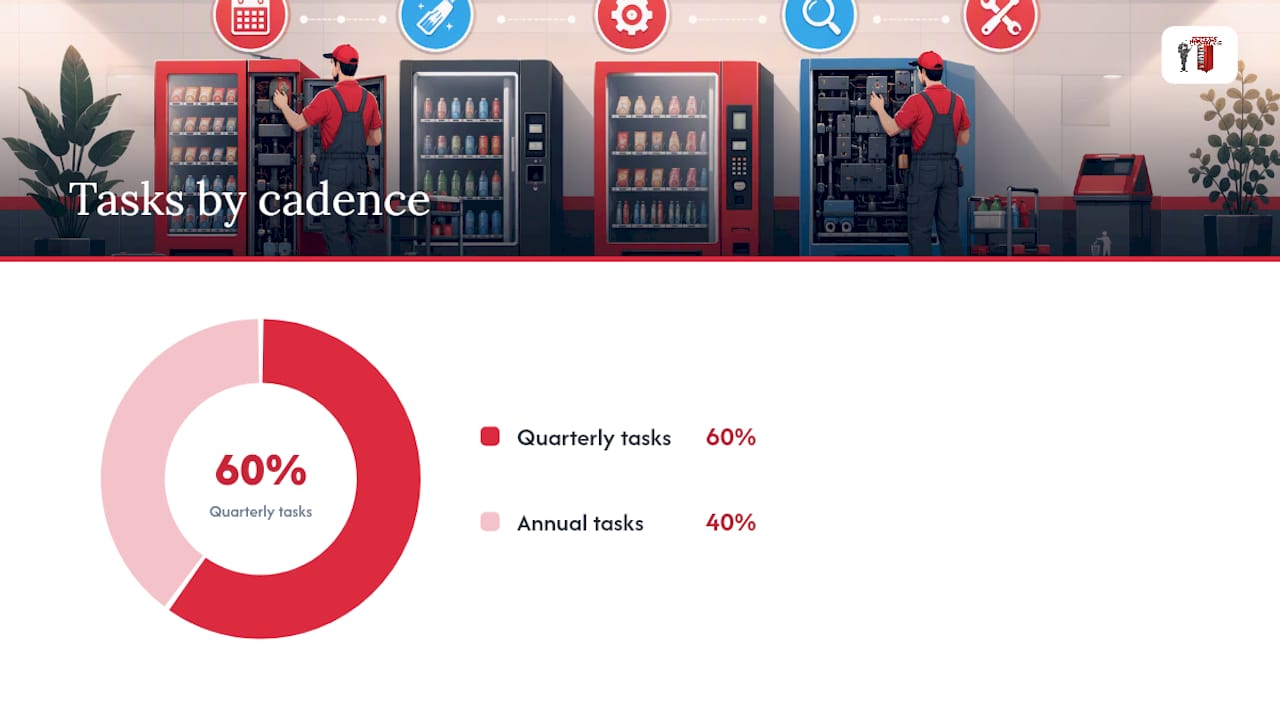
Dirty condenser coils are consistently cited by operators as the primary driver of cooling failure. Quarterly brushing or vacuuming of the coil fins takes under ten minutes and can extend compressor life significantly. When deciding whether to replace a worn part or repair it, factor in labor cost, the part’s remaining expected life, and how often that component has failed recently — routine cleaning and minor part replacement often restore reliable service at a fraction of full-unit replacement cost.
Pro Tip: Schedule quarterly work during the night shift or a Sunday morning. A machine that is offline for 45 minutes at 3 AM generates zero complaints; the same downtime at noon in a busy hospital corridor generates several.
How do you keep payment systems and telemetry working in a hospital vending machine?
Payment failures are the fastest way to lose user trust in a hospital setting. Staff and visitors on tight breaks do not retry a machine that rejected their card once. A short daily test, monthly hardware cleaning, and quarterly firmware checks keep the payment path reliable.
Payment and electronics checklist:
- Daily: Run one payment test (card tap preferred); confirm the transaction completes and the receipt or confirmation screen displays correctly
- Monthly: Run a cleaning card through the bill validator; clean card reader contacts; inspect coin mech for debris or corrosion
- Quarterly: Check for firmware updates from the payment terminal manufacturer or telemetry board vendor; apply updates during a scheduled maintenance window, not ad hoc
Telemetry alert thresholds to configure:
- Temperature delta above 5°F from baseline for more than 30 minutes: generate a diagnostic ticket
- Three or more payment rejections in a single hour: flag for same-day technician review
- No-sales events exceeding the machine’s normal baseline for that time of day: flag for restocking check
- Door-open sensor triggered outside scheduled service windows: immediate alert
When a card reader intermittently accepts and then rejects the same card, or when a bill validator repeatedly rejects known-good bills after cleaning, escalate to vendor support rather than cycling through additional cleaning attempts. Intermittent failures at that stage usually indicate a hardware fault or a firmware conflict, not a cleanliness issue. Telemetry-driven escalation reduces unnecessary truck rolls by focusing technician time on machines that actually need attention.
Pro Tip: Configure your telemetry platform to generate a single diagnostic ticket the moment a temperature or no-sales spike occurs. A ticket created automatically at 2 AM gets resolved by morning; one noticed manually at the next scheduled visit may mean a full day of lost sales or spoiled stock.
What temperature should a hospital vending machine refrigerator maintain?
Refrigerated vending in a hospital carries a higher food-safety obligation than in most commercial settings. Patients, immunocompromised visitors, and clinical staff all depend on the machine holding safe temperatures consistently.
| Product type | Target temperature | Acceptable tolerance | Check frequency |
|---|---|---|---|
| Chilled beverages (non-perishable) | 34°F to 40°F | ±3°F | Daily visual check |
| Sandwiches, salads, dairy items | 34°F to 40°F | ±2°F | Daily; log reading |
| Frozen items (if applicable) | 0°F or below | ±5°F | Daily visual check |
Action checklist for a temperature excursion:
- Immediately isolate the affected machine by locking the door or placing an “Out of Service” sign
- Log the exact time, the temperature reading, and the duration of the excursion
- Remove all perishable items (sandwiches, salads, dairy, prepared foods) and discard them; do not return them to service
- Notify the infection-control or food-safety lead per your facility’s protocol
- Document the incident in the machine’s service log with photos if visible spoilage or condensation is present
- Do not return the machine to service until the temperature has held within the acceptable range for at least two consecutive hours after the fault is resolved
Safety note: In a hospital, a temperature excursion involving patient-accessible food is a potential patient-safety event. Document it as you would any other food-safety incident and follow your facility’s reporting chain. A log with timestamps and photos is your protection if the incident is reviewed later.
Restocking best practices for hospital vending machines
Hospital restocking is not just a logistics task. The fast restocking demands of hospital locations mean that every visit needs to be efficient and every product placed needs to be safe. FIFO discipline, clear labeling, and temperature control during transit are non-negotiable.
Core restocking rules:
- Load new product behind existing stock, never in front of it (FIFO)
- Label every perishable item with the open date if it is not pre-labeled with an expiry date
- Keep refrigerated items in a cooler bag or insulated container during transit; do not leave them at ambient temperature for more than 30 minutes
- Check expiry dates on every item before loading; reject anything within 24 hours of expiry
- Record slot-by-slot stock counts on the restocking sheet before and after each visit
- Note any items that consistently sell slowly; flag them for menu review rather than letting them age in the machine
For dietary-friendly hospital vending options, keep a small buffer of high-demand items on the service vehicle — the items that sell out between scheduled visits. Overstocking the vehicle with slow-moving SKUs wastes cold-chain capacity and increases the risk of expiry waste.
Pro Tip: Track SKU-level sales and jam data in a simple spreadsheet. After 60 days, you will have a clear picture of which items earn their slot and which ones create problems. Swap the underperformers before they become a recurring complaint.
How do you troubleshoot common hospital vending machine problems fast?
Three problems account for the majority of urgent service calls: jammed product, payment failure, and refrigeration noise or temperature drift. Each has a one-minute first-check that resolves it or confirms escalation is needed.
Jammed product:
Check the delivery bin first — the item may have dispensed but not cleared the bin. If the bin is empty, open the machine and inspect the relevant coil for a stuck item. Manually advance the coil one turn if the machine’s operator menu allows it. If the jam recurs in the same slot within the same visit, tag that slot out of service and log it.
Payment failure:
Confirm the machine’s network connection is active (telemetry light or display indicator). Run a test transaction. If the card reader fails a tap and a swipe, the issue is likely hardware or connectivity, not the customer’s card. Lock the payment path and post an “Exact Change Only” or “Card Out of Service” notice if a cash path is still functional. Log the failure time and escalate to vendor support with the machine ID and error code.
Refrigeration noise or temperature drift:
A new grinding or clicking sound from the compressor area warrants immediate escalation — do not wait for the next scheduled visit. Pull all perishable items, log the temperature, and lock the machine if the temperature is outside the safe range. A buzzing or humming that was not present before often indicates a fan obstruction; check the fan grille before calling a technician.
Pro Tip: Before leaving any machine after a troubleshooting visit, write three things in the service log: what you found, what you did, and what to watch for on the next visit. That note takes 90 seconds and saves the next technician 15 minutes of diagnosis.
How to build a preventive maintenance schedule that actually reduces truck rolls
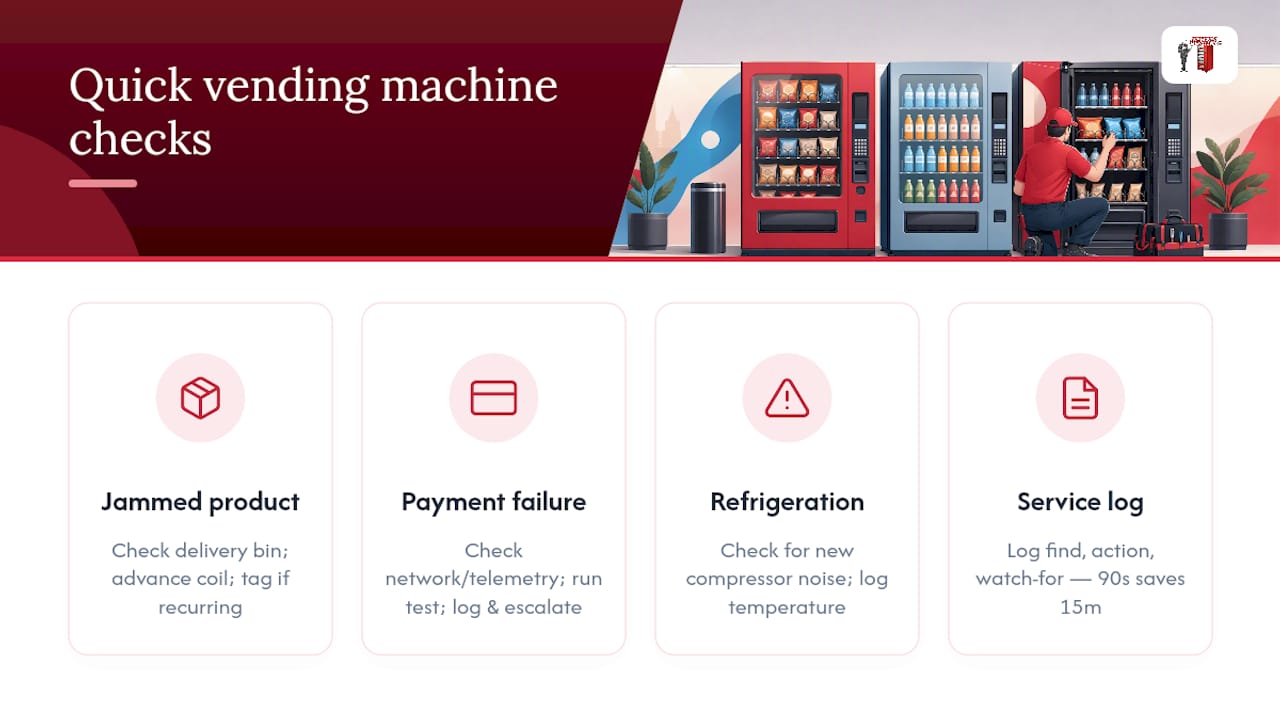
A preventive maintenance strategy combines fixed-frequency tasks with condition-based escalation triggers. The fixed schedule handles routine hygiene and mechanical care; the telemetry triggers catch the problems that fall between scheduled visits.
| Task | Frequency | Owner |
|---|---|---|
| Exterior wipe, payment test, temp check | Daily | In-house staff or route tech |
| FIFO rotation, interior visual, bill-path clean | Weekly | Route tech |
| Deep-clean, validator card, fan check | Monthly | Route tech or vendor |
| Condenser coil, door seal, firmware | Quarterly | Vendor or certified tech |
| Gasket replacement, wiring check, refrigerant | Annual | Certified HVAC/R tech |
Escalation thresholds (trigger an immediate service ticket):
- More than three payment errors in a single day on the same machine
- Temperature excursion above the tolerance band for more than 30 minutes
- Repeated jam in the same slot across two consecutive visits
- Compressor noise change or cycling irregularity noted during any visit
A layered preventive schedule prevents the majority of breakdowns and reduces reactive repairs significantly. High-traffic hospital machines — those serving emergency departments, ICUs, or main visitor lobbies — warrant daily visits rather than every-other-day routes. Low-traffic machines in administrative wings can often sustain a weekly visit cadence without elevated risk.
Pro Tip: Combine telemetry alerts with your scheduled visit calendar. When an alert fires on a machine that is not due for a visit for three days, send a technician the same day. That single proactive response often prevents a full breakdown and the associated emergency callout cost.
What cleaning supplies and PPE are safe for hospital vending machines?
Hospital environments require cleaning agents that meet clinical hygiene standards without damaging machine surfaces or contaminating food-contact areas. The wrong product can void a manufacturer warranty, corrode a coin mech, or leave a residue that transfers to product packaging.
Approved sanitizer types for touch surfaces and food-contact areas:
- Quaternary ammonium (quat) compounds at hospital-approved dilutions: effective on exterior surfaces, keypads, and delivery bins; confirm food-contact safety on the product label
- Hydrogen peroxide-based cleaners (0.5% or lower for food-contact surfaces): broad-spectrum, low-residue, and compatible with most plastic and glass surfaces
- Isopropyl alcohol wipes (70%): suitable for keypads, card readers, and glass; not for use near open coin mechs or bill-entry slots where residue can cause rejection errors
- EPA-registered disinfectants on the List N (SARS-CoV-2 effective): cross-reference with the machine manufacturer’s approved cleaner list before use
PPE for vending maintenance in clinical environments:
- Nitrile gloves (minimum) for all cleaning tasks; change between machines to avoid cross-contamination
- Eye protection when applying spray disinfectants in enclosed machine interiors
- Disposable apron or sleeve covers when performing deep-cleans in patient-accessible areas
Storage and transport: Keep cleaning chemicals in a sealed, labeled secondary container in the service vehicle. Do not store chemicals adjacent to food product. Follow your facility’s chemical transport policy, which may require a safety data sheet (SDS) to be carried in the vehicle.
Safety note: Never apply solvent-based cleaners near the bill validator, coin mech, or any exposed circuit board. Even a small amount of solvent residue can cause intermittent electronic failures that are difficult to diagnose.
Recordkeeping, compliance, and coordination with infection control
Every service visit needs a log entry. Not because auditors might ask — though they will — but because trending data is the only way to catch a machine that is slowly degrading before it fails completely.
Required fields for every service log entry:
- Date and time of visit
- Technician name and ID
- Tasks completed (reference the checklist tier: daily, weekly, monthly, quarterly)
- Temperature readings (before and after service for refrigerated units)
- Parts replaced or adjusted, with part numbers if available
- Any anomalies noted and actions taken
- Photos: attach for any temperature excursion, visible contamination, or part failure
- Next-visit notes: what to watch for or follow up on
Retain service logs for a minimum of one year; two years is better practice for hospital locations where food-safety incidents may be reviewed retrospectively. Share monthly summaries with the infection-control or food-safety team, particularly temperature logs and any excursion incidents. Some facilities require vending maintenance records to be included in their broader food-safety management documentation.
For teams managing more than a handful of machines, a basic CMMS (computerized maintenance management system) or even a shared spreadsheet with consistent column headers makes trending straightforward. Flag any machine that has generated more than two temperature excursions or three payment failures in a rolling 30-day window for a priority review visit.
Pro Tip: Photograph temperature excursions immediately, before you remove product or adjust settings. A timestamped photo showing the display reading and the product inside is the clearest possible documentation if the incident is reviewed later.
Sample maintenance schedule template and downloadable checklist
The template package below covers all four cadence layers. Print the daily card and clip it to the machine; import the CSV into your CMMS or a shared spreadsheet for scheduling and trending.
| Template | Format | Contents |
|---|---|---|
| Daily quick-check card | Single-page printable | Multiple tasks, signature line, temperature field |
| Weekly inspection checklist | Single-page printable | Several tasks, FIFO log, anomaly notes field |
| Monthly deep-clean log | Two-page printable | Step-by-step tasks, before/after temp fields, parts log |
| Quarterly/annual inspection | Two-page printable | Condenser, gasket, firmware, refrigerant tasks |
| CSV schedule | Spreadsheet import | All tasks mapped to frequency, owner, and machine ID |
To use the CSV in a spreadsheet: Open in Excel or Google Sheets, filter by machine ID to generate a per-machine schedule, and sort by due date to build a weekly work order list. Add a “Completed” column and a “Notes” field for each row.
To import into a CMMS: Most platforms (Fiix, UpKeep, Limble) accept a CSV with columns for asset ID, task name, frequency, and assigned technician. Map the CSV columns to your CMMS field names during import; the frequency column drives automatic work-order generation.
Author note: Attach the printable PDF and CSV files to this page when publishing so readers can download directly.
An example hospital vending maintenance program: SLAs, KPIs, and a pilot workflow
A well-structured program starts with clear performance targets, assigns ownership for each task tier, and validates the cadence on a single machine before scaling across a facility.
Sample SLA and KPI targets:
- Machine uptime: 98% or above during operating hours
- Response time for critical tickets (temperature excursion, complete payment failure): within 4 hours
- Response time for non-critical tickets (single payment method down, minor jam): within 24 hours
- Temperature compliance rate: 100% of logged readings within the acceptable band
- Restocking frequency: aligned to sales velocity so no item reaches zero stock during operating hours
Pilot workflow:
- Select one high-traffic machine as the pilot unit
- Run the full daily/weekly/monthly cadence for 30 days, logging every visit
- At day 30, review: uptime rate, temperature log compliance, payment error count, and restocking gaps
- Adjust visit frequency or task assignments based on actual performance data
- Apply the validated cadence to remaining machines, adjusting for traffic volume at each location
Responsibilities split cleanly: the hospital facility team handles daily checks and immediate escalation; the route technician covers weekly and monthly tasks; the vendor or a certified tech handles quarterly and annual work. That division keeps in-house labor focused on observation and response rather than deep technical work.
Pro Tip: Pilot on your most demanding machine, not your easiest one. If the cadence holds up under high traffic and high scrutiny, it will hold up everywhere.
Why hospitals should treat vending maintenance differently from any other location
Hospitals are not offices with higher foot traffic. The hygiene standard is categorically different, the consequences of a food-safety failure are more serious, and the visibility of a broken or dirty machine in a patient-accessible area reflects directly on the facility’s care standards.
Infection-control teams in hospitals operate on protocols that most facility managers in other sectors never encounter. Coordinating maintenance windows with those teams is not optional — it is how you avoid a situation where a technician is deep-cleaning a machine in a corridor that is simultaneously being prepared for a sterile procedure. Schedule maintenance windows in advance, communicate them to the relevant ward or department, and post clear signage on the machine during any service that takes it offline.
Refrigerated food in a hospital also carries a different risk profile. A visitor buying a sandwich from a lobby machine may be immunocompromised, post-surgical, or on a restricted diet. That is a reason to hold a tighter temperature tolerance and a shorter expiry window than you would in a standard commercial location.
The machines that serve patient floors, waiting areas, and clinical staff deserve the same level of systematic attention as any other piece of clinical equipment. A checklist and a schedule are not bureaucratic overhead. They are the mechanism that keeps a machine from becoming a liability.
Jeeves Vending handles the maintenance so your team does not have to
Hospital facility teams already carry a full load. Adding vending machine uptime, temperature compliance, and payment-system diagnostics to that list is manageable with a good checklist, but it is genuinely easier when a vendor carries the operational weight.
Jeeves Vending provides fully managed vending machines and micro-markets in the Dallas-Denton region at no cost to the host facility. That means telemetry-backed monitoring, proactive restocking, and scheduled maintenance are handled by Jeeves Vending’s team, not yours. The machines come with remote stock monitoring and digital POS systems built in, so temperature alerts and payment errors generate service tickets automatically rather than waiting for a staff member to notice. If your facility is evaluating a vendor-managed program, ask specifically for a written SLA that covers response times for temperature excursions, restocking frequency, and uptime targets. Those three numbers tell you whether a vendor is serious about hospital-grade service. Contact Jeeves Vending to request a pilot or a sample SLA for your facility.