
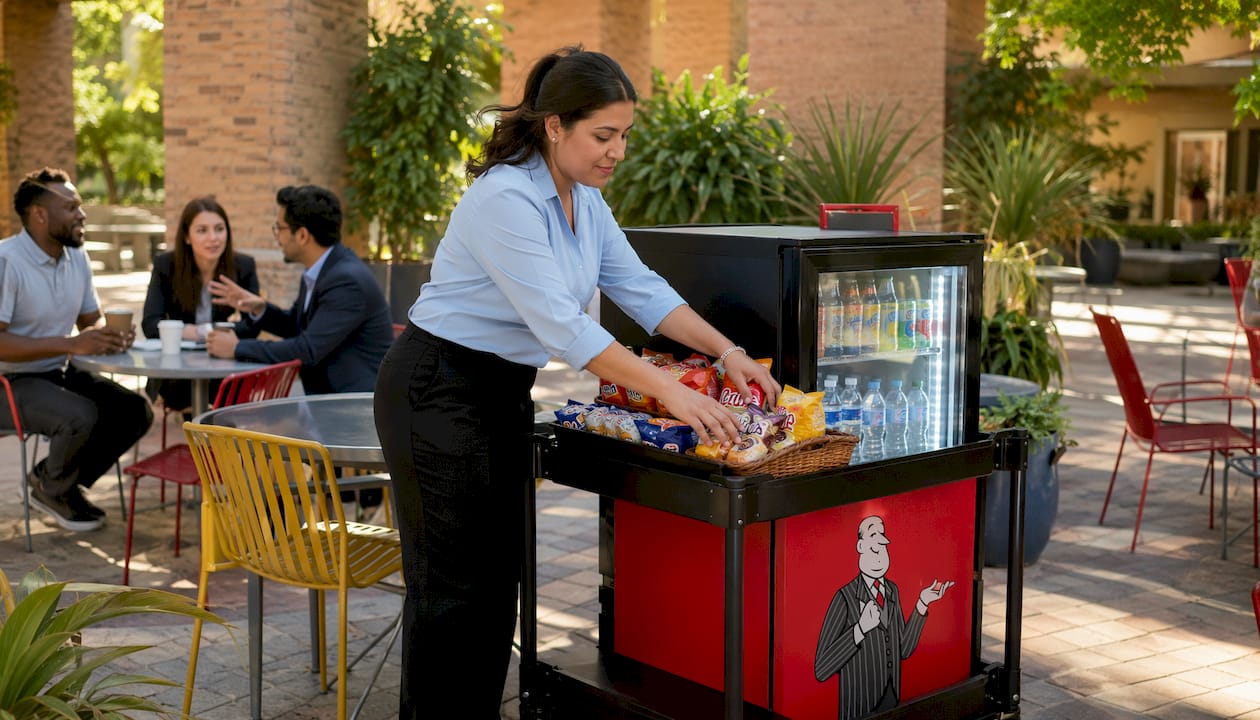
Use this office snack station checklist to launch and sustain a high-adoption snack program: survey employees (≤10 questions), choose equipment with Jeeves Vending’s no-upfront model, set par levels per USDA food-safety guidance, assign an owner, and schedule a weekly restock cadence.
Quick-start checklist:
- Run a short employee survey (≤10 questions) to capture preferences and dietary restrictions
- Select equipment type: vending machine, smart cooler, or micro-market
- Choose a high-traffic location with power access and ADA clearance
- Set par levels per SKU before ordering any product
- Enable cashless payments and remote telemetry from day one
- Assign a named internal owner for the program
The single biggest predictor of a failed snack program is no named owner. Without one person accountable for par levels, expiration checks, and vendor coordination, the station drifts into empty shelves and ignored feedback within 60 days.
Table of Contents
- What planning decisions determine success before you order anything?
- How do you run an employee survey that actually shapes your assortment?
- Which equipment type fits your space and throughput?
- Where should you place the station for maximum adoption?
- What should your assortment actually include?
- What payment and tech features should you require from day one?
- How do you run daily, weekly, and monthly operations without surprises?
- What compliance and food-safety steps protect your employees?
- How do you sequence the launch to maximize adoption?
- Which KPIs tell you the program is actually working?
- What are the most common reasons snack programs fail?
- How do you keep employees engaged after the launch?
- How do you choose and negotiate with a snack supplier?
- What sustainability practices should your snack program include?
- Key Takeaways
- What installers see that offices consistently miss
- Jeeves Vending handles the hard parts for Dallas-Denton workplaces
- Useful sources and further reading
What planning decisions determine success before you order anything?
Three decisions lock in your outcome before a single machine arrives: scope (how many stations, which equipment type), budget model (upfront purchase vs. no-upfront-cost provider), and who owns the program internally. Getting these right ensures smooth downstream execution.
Stakeholder roles to confirm:
- HR: employee survey, dietary policy, satisfaction tracking
- Facilities: power, floor load, ADA access, cleaning schedule
- Finance: budget approval, invoice review, recurring cost sign-off
- Office manager or program owner: day-to-day vendor coordination and par-level oversight
- Vendor point of contact: SLA terms, restock cadence, escalation path
Budget shapes to evaluate:
- Upfront purchase model: you buy or lease equipment, pay for product, and manage restocking internally.
- No-upfront-cost provider model: the vendor installs and manages equipment at no charge to the host; revenue comes from employee purchases. Jeeves Vending operates this way for Dallas-Denton workplaces.
- Hybrid: host buys a pantry station; vendor supplies and delivers product on a subscription cadence.
Procurement criteria to confirm in writing:
- Restock cadence: weekly or twice-weekly depending on headcount and perishables
- SLA response time for outages and temperature alarms
- Waste handling and expired-product removal responsibility
- Invoice transparency: itemized by SKU, not lump-sum
- Basic security expectations: tamper-evident locks, camera-ready placement
For a practical setup walkthrough, the office vending setup guide covers SLA basics and service expectations in detail.
How do you run an employee survey that actually shapes your assortment?
Short surveys of ten questions or fewer consistently produce higher response rates and more usable input than exhaustive questionnaires. Run yours two weeks before launch via email, a Slack poll, or a printed card at the future station location.
Survey template (8–10 questions):
- How many days per week are you in the office?
- How often do you snack at work? (Daily / A few times a week / Rarely)
- What snack types do you prefer? (Select all: bars, chips, nuts, fresh fruit, yogurt, chocolate, crackers)
- Do you have any dietary restrictions? (Vegan, gluten-free, nut-free, dairy-free, none)
- Do you prefer sweet or savory snacks?
- What beverages would you use most? (Water, sparkling water, coffee, energy drinks, juice)
- How important are healthy options to you on a scale of 1–5?
- Would you use a breakfast item (granola bar, oatmeal cup) before 10 AM?
- What’s your typical spend per snack? (Under $2 / $2–$4 / Over $4)
- What one item would make you use this station every week?
Translating results into a starter assortment:
- If a majority select “bars” as preferred: stock a few bar SKUs at an appropriate par level
- If 40%+ flag a dietary restriction: dedicate at least one shelf section to that category; see dietary-friendly vending guidance for label and placement tips
- If beverage demand is high: prioritize a refrigerated unit or smart cooler over a dry-goods-only machine
- Map open-text suggestions for the first seasonal rotation, not the core assortment
To keep selections fresh over time, the vending menu customization guide shows how to adjust SKUs as preferences shift.

Which equipment type fits your space and throughput?
Pick the model that matches your available square footage, expected daily transactions, and desired service level. No single format wins across all workplaces.
| Equipment type | Best for | Key advantage | Main limitation |
|---|---|---|---|
| Traditional vending machine | Small to medium teams, limited space | Low footprint, 24/7 access, no staff needed | Fixed planogram, limited fresh items |
| Smart cooler / AI cooler | Smaller teams, fresh-food focus | Compact, refrigerated, real-time inventory | Higher per-unit cost if purchased outright |
| Self-checkout micro-market | Larger teams, open break room | Wide SKU range, POS kiosk, high throughput | Requires dedicated floor space and security camera |
| Staffed pantry / snack station | Premium office environments | Full customization, personal service | Ongoing labor cost, limited hours |
Decision factors to weigh:
- Smaller teams: a smart cooler or single vending machine usually covers demand
- Medium teams: a vending machine plus a smart cooler handles both dry and fresh
- Larger teams or open floor plan: a self-checkout micro-market delivers the SKU depth and throughput you need
- Perishables (yogurt, fresh fruit): require refrigeration and a twice-weekly cadence minimum
Where should you place the station for maximum adoption?
Choose a high-visibility, convenient location that supports your program goal, whether that’s daily usage, cross-team interaction, or both. The kitchen is not always the best answer.
Location checklist:
- Dedicated 20-amp circuit within reach (vending machines and coolers draw significant power)
- Floor load capacity confirmed with facilities (machines can exceed 400 lbs)
- ADA-compliant clearance: sufficient aisle width and reachable controls from a seated position
- Natural foot traffic: near elevators, main corridors, or collaboration zones
- Adequate lighting: poorly lit stations see lower usage regardless of assortment quality
- Proximity to seating so employees can grab and stay, not grab and rush
Strategic placement between departments increases visibility and encourages informal collaboration, which HR teams often cite as a secondary benefit of a well-run snack program. For placement frameworks tied to office workflow, the vending placement guide goes deeper.
Pro Tip: Move the station 10–20 feet from the kitchen toward the main hallway. That single change consistently increases daily transactions by making the station visible to people who would never detour into a break room.
Merchandising layout:
- Front healthy options at eye level; treats on lower or side shelves
- Group by category (bars together, beverages together) with clear dietary labels
- Rotate eye-level SKUs monthly so the station never looks stale
What should your assortment actually include?
Start with a core 12–20 SKUs plus a rotating 4–6 seasonal items. A balanced mix of healthy snacks, indulgent treats, and breakfast options serves different moods throughout the day and keeps adoption high across the whole team.
| Category | Sample items | Target shelf share |
|---|---|---|
| Bars (protein/granola) | RXBARs, Nutri-Grain, KIND bars | 20% |
| Nuts and trail mix | Mixed nuts, almonds, trail mix packs | 15% |
| Chips and crackers | Skinny Pop, Pringles, Goldfish | 15% |
| Fresh / refrigerated | Yogurt cups, cheese sticks, fresh fruit | 15% |
| Beverages | Sparkling water, juice, energy drinks | 20% |
| Treats / indulgent | Chocolate bars, cookies, candy | 15% |
For high-turnover protein options, protein snacks that sell lists the SKUs that move fastest in workplace machines. Indulgent picks like a crispy wafer chocolate bar round out the treats shelf without overwhelming the healthy mix.
Allergen and labeling checklist:
- Label each item: vegan (V), gluten-free (GF), nut-free (NF), dairy-free (DF)
- Post a master allergen list at eye level on the station or machine door
- Refrigerated items: maintain 40°F or below; log temperature daily or use remote alerts
- Dispose of any item within 24 hours of its use-by date, no exceptions
Set par levels before finalizing SKUs. When stock hits par, the next delivery refills it — that discipline prevents empty shelves and overspending without requiring constant manual checks.
What payment and tech features should you require from day one?
Enable cashless payments and remote telemetry before the station opens. These two features reduce waste, speed up replenishment, and give you the sales data to optimize the assortment within the first month.
Tech checklist:
- Contactless card reader (tap-to-pay, chip)
- Mobile pay support (Apple Pay, Google Pay)
- Remote telemetry: real-time stock levels and temperature monitoring
- POS kiosk for micro-markets (self-checkout with receipt option)
- Sales reporting dashboard: transactions per SKU, sell-through rate, low-stock alerts
Telemetry pays for itself fast. Tech-enabled vending solutions send remote alerts for low stock and temperature deviations, cutting spoilage and eliminating the “I didn’t know it was empty” service call. Ask your vendor for reporting cadence and whether you get direct dashboard access or only summary invoices.
Minimum vendor questions on data:
- How often does telemetry data refresh?
- Do I get direct dashboard access or only summary reports?
- What triggers an automatic service call vs. a manual request?
- Is PCI-compliant payment processing confirmed in writing?
How do you run daily, weekly, and monthly operations without surprises?
Set par levels and a replenishment cadence before choosing SKUs — that sequence prevents the guesswork that leads to empty shelves and wasted product.
Sample stocking schedule:
- Daily: visual check for empty slots, temperature log for refrigerated units, wipe-down of surfaces
- Weekly: full restock to par levels, rotate stock (first-in, first-out), check for items within 7 days of expiry
- Monthly: complete expiration date check on every item across all categories, equipment inspection (door seals, coin mechanism, card reader), assortment review against sales data
Vendor SLA checklist:
- Maximum response time for equipment outages (target: same business day)
- Restock cadence confirmed in writing (weekly or twice-weekly)
- Expired-product removal: vendor responsibility or host?
- Invoice format: itemized by SKU with delivery date
- Escalation contact: named person, not a general inbox
Escalation flow:
- Temperature alarm: notify vendor immediately; pull and discard all refrigerated items if unit exceeds 45°F for more than 2 hours
- Equipment outage: vendor dispatched within SLA window; post a notice at the station
- Product recall: vendor removes affected SKUs same day; host confirms removal and logs it
Pro Tip: Keep a laminated one-page SOP at the station listing the vendor’s emergency number, the temperature threshold for discarding product, and the name of the internal program owner. It takes 10 minutes to make and saves hours of confusion during an actual incident.
What compliance and food-safety steps protect your employees?
Follow basic food-safety practices and clear allergen labeling to protect employees and limit liability. The checklist is short but non-negotiable.
Compliance checklist:
- Allergen labels on every item (or master list posted at station)
- Refrigerated units maintained at 40°F or below at all times
- Temperature log reviewed weekly; remote alert configured if telemetry is available
- Expired items removed within 24 hours of use-by date
- Cleaning schedule posted and followed (surfaces, trays, machine exterior)
- Vendor holds applicable food handler permits for any prepared or fresh items
- Check your county and state food-handling regulations if you stock prepared foods — requirements vary by jurisdiction and are not covered here as legal advice
How do you sequence the launch to maximize adoption?
Run a short pilot of 2–4 weeks with clear feedback channels before full rollout. A phased approach lets you fix assortment and placement issues before they become habits.
Launch timeline:
- Week -4: Run employee survey; confirm equipment type, location, and vendor SLA
- Week -2: Install equipment, test payments and telemetry, stock initial assortment to par
- Week 0: Send launch email; post station signage with how-to instructions and feedback QR code
- Weeks 1–2 (pilot): Collect daily sales data and informal feedback; note any empty slots or untouched SKUs
- Week 3+: Adjust assortment based on pilot data; communicate changes to employees
Communication templates (copy points):
- Launch email subject: “Your new snack station is live — here’s what’s inside”
- Station signage: Category map, allergen key, payment options accepted, feedback QR code
- Feedback survey cadence: Send a 3-question pulse survey at end of pilot week 2, then quarterly
Converting feedback into changes:
- Three or more complaints about a missing item: add it to the next restock
- An SKU with zero sell-through after two weeks: swap it out, don’t wait for the monthly review
- Repeated payment errors: escalate to vendor within 24 hours, not the next scheduled call
Which KPIs tell you the program is actually working?
Track usage, average spend per transaction, waste rate, and employee satisfaction to know whether the program is improving or drifting.
KPI definitions:
- Transactions per day: baseline usage; flag if it drops more than 20% week-over-week
- Sell-through per SKU: units sold ÷ units stocked per cycle; below 50% signals a swap
- Days to expiry at restock: how close items are to expiry when the next delivery arrives; under 5 days means cadence is too slow
- Waste percentage: units discarded ÷ units stocked; target under 5%
- Employee satisfaction score: quarterly pulse survey, 1–5 scale; track trend, not just snapshot
Optimization cadence:
- Weekly: review telemetry dashboard; flag any SKU with zero transactions
- Monthly: adjust par levels and swap low-performers; review waste percentage
- Quarterly: full category review, pricing check, satisfaction survey analysis
Telemetry and sales reports make this loop nearly automatic. The vending variety and productivity guide shows how data-driven assortment changes translate into measurable adoption gains.
What are the most common reasons snack programs fail?
Poor assortment fit, missing par levels, and no named owner account for the majority of failed programs. The fix for each is simple, but only if you catch it early.
Common pitfalls:
- All-healthy assortment: employees who want a treat stop using the station; programs that skip indulgent options lose engagement fast
- All-indulgent assortment: health-conscious employees disengage, and HR pushback follows
- No par levels: restocking becomes guesswork; shelves run empty between visits
- Wrong cadence: weekly delivery for a 200-person office with perishables means expired product by day 5
- Poor placement: a station tucked in a corner sees a fraction of the traffic of one in a main corridor
- Ignored expiration checks: one expired item erodes trust faster than an empty shelf
Monthly red-flag checklist:
- Any SKU missing for more than 2 consecutive days
- Frequent refund requests or payment errors
- Repeated equipment faults (card reader, temperature, door mechanism)
- Waste percentage climbing above 5%
- No employee feedback submitted in 30+ days (signal of disengagement, not satisfaction)
How do you keep employees engaged after the launch?
Post-launch engagement is where most programs either compound their early momentum or quietly stall. The stations that stay busy 12 months in share three habits: they run occasional promotions, they close the feedback loop visibly, and they treat the first 90 days as a trial period, not a finished product.
A simple promotion cadence works well: rotate a “featured item” weekly with a small tent card at the station, run a monthly vote (physical ballot or Slack poll) for the next new SKU, and celebrate milestones like “1,000 transactions” with a free-item day. None of these require a budget line; they require about 30 minutes a month from the program owner.
Closing the feedback loop visibly matters more than collecting feedback. Post a small sign that says “You asked for sparkling water — it’s here” the week after you add a requested item. Employees notice when their input changes something, and that noticeably increases the next survey’s response rate.
How do you choose and negotiate with a snack supplier?
The right supplier relationship is less about price per unit and more about service reliability, data transparency, and flexibility to swap SKUs without penalty. Evaluate candidates on these criteria before signing anything.
Selection criteria:
- Restock cadence flexibility (can they do twice-weekly if headcount grows?)
- SKU catalog depth: at least 50 active SKUs so you can rotate without repeating
- Allergen documentation available for every product in their catalog
- Dashboard or reporting access included, not sold as an add-on
- Clear contract terms: no multi-year lock-in for a first deployment
Negotiation tips:
- Start with a 90-day pilot clause: either party can exit with 30 days’ notice
- Negotiate itemized invoicing from day one; lump-sum billing hides waste and over-ordering
- Ask for a named account manager, not a rotating support queue
- Request a sample data report before signing so you know exactly what telemetry you will receive
What sustainability practices should your snack program include?
Sustainability in a workplace snack program is mostly about reducing packaging waste and managing food disposal responsibly. Neither requires a large budget.
Practical steps:
- Prioritize individually wrapped items in recyclable or compostable packaging where available
- Place a clearly labeled recycling bin at the station; co-locate it with the trash bin so the choice is obvious
- Track waste percentage monthly (see KPIs above); a rising waste rate is both a financial and environmental problem
- Work with your vendor to return or donate near-expiry items rather than discarding them
- For micro-markets, choose a POS system that generates digital receipts by default to cut paper waste
- Consider a chocolate bar with crispy wafer or a similar individually portioned treat in recyclable foil as an indulgent option that minimizes over-packaging
Sustainability reporting is increasingly a procurement requirement for larger employers. Keeping a monthly waste log from day one means you have the data when someone in finance or HR asks for it.
Key Takeaways
A well-run office snack program requires a named owner, par levels set before SKU selection, and telemetry-enabled equipment to prevent empty shelves and expired product.
| Point | Details |
|---|---|
| Survey first, stock second | Run a ≤10-question employee survey two weeks pre-launch to build your starter assortment from real preferences. |
| Par levels are the backbone | Set minimum quantities per SKU before ordering; when stock hits par, the next delivery refills it automatically. |
| Balance the assortment | Mix healthy, indulgent, and breakfast items — programs that go all-healthy lose engagement within weeks. |
| Track five KPIs | Monitor transactions per day, sell-through per SKU, waste percentage, days to expiry, and satisfaction score monthly. |
| Jeeves Vending for Dallas-Denton | Jeeves Vending installs and manages vending machines and micro-markets at no upfront cost for Dallas-Denton workplaces. |
What installers see that offices consistently miss
The checklist above covers what to do. What it cannot fully convey is how often the obvious steps get skipped under time pressure, and what that costs.
The most common quick win field teams find is a par-level correction. An office sets par levels based on headcount at launch, then headcount grows 30% and nobody updates the numbers. The result is a machine that runs empty by Thursday every week, which employees interpret as neglect rather than a math problem. Updating par levels takes 10 minutes and usually doubles perceived program quality overnight.
The second most common fix is a placement move. Moving a station 15 feet from a side kitchen to a main corridor can double daily transactions without changing a single SKU. Employees do not detour for snacks; they grab what is in their path.
The third: adding two indulgent SKUs to an all-healthy assortment. It feels counterintuitive to HR teams focused on wellness, but a station that has exactly one chocolate option next to ten protein bars sees the chocolate sell out first and the protein bars sit. A real mix keeps everyone coming back.
Jeeves Vending handles the hard parts for Dallas-Denton workplaces
For Dallas-Denton offices that want a fully managed snack program without the upfront equipment cost or internal operational burden, Jeeves Vending is the direct path.
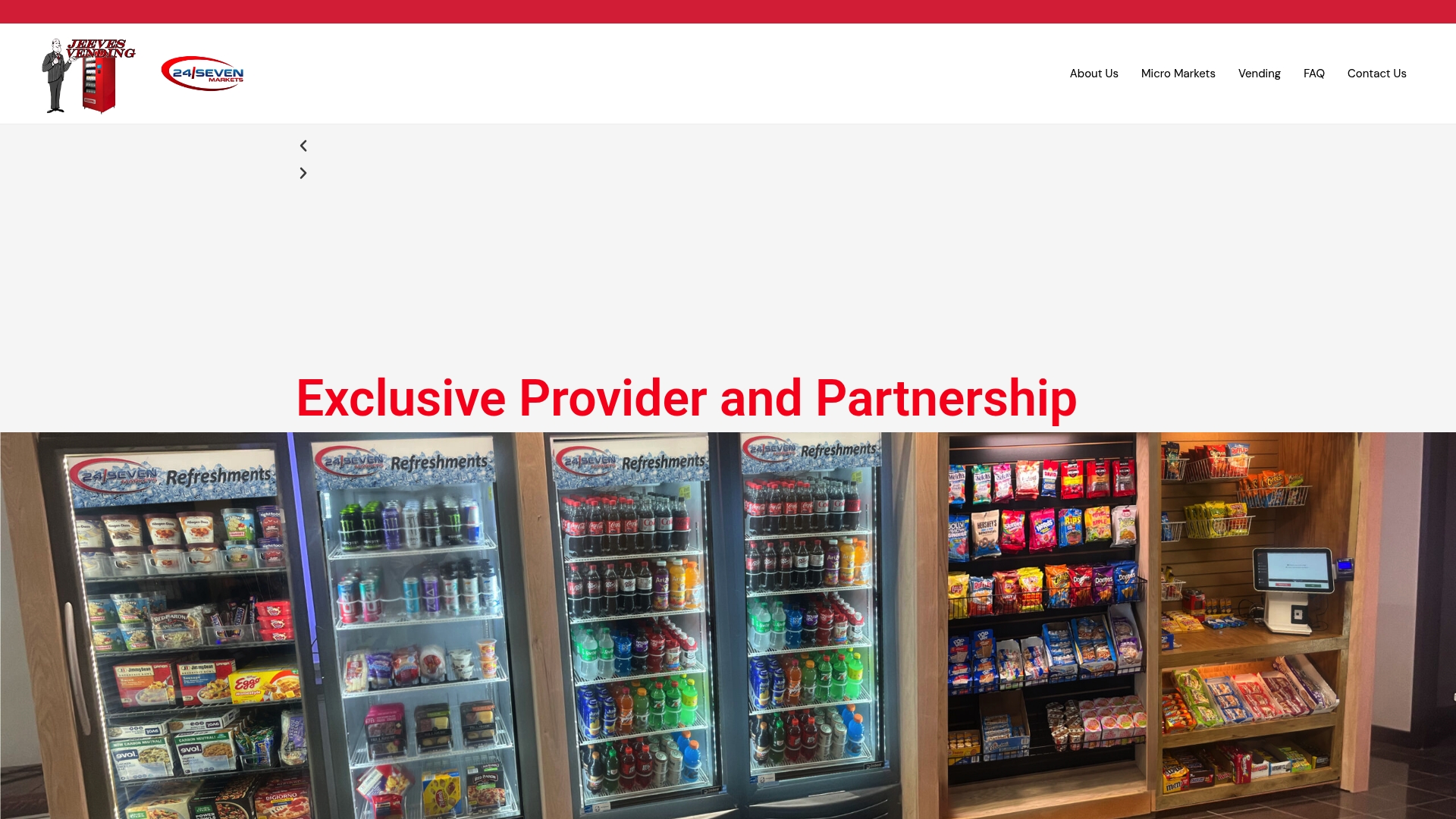
Jeeves Vending installs modern vending machines and micro-markets at no cost to the host business. The team handles equipment, telemetry, restock cadence, SLA compliance, and expiration management. Your facilities team confirms the location and power access; Jeeves handles everything else. Sales data and remote monitoring are built in, so assortment optimization happens from real usage, not guesswork.
The model works because revenue comes from employee purchases, not from a service fee charged to the host. That means Jeeves Vending’s incentive is a well-stocked, high-usage station, which aligns exactly with what your employees want.
Ready to skip the setup complexity? Contact Jeeves Vending to confirm availability for your location and get a deployment timeline for your Dallas-Denton workplace.
Useful sources and further reading
- How to Build an Office Snack Program Employees Actually Use — practical guidance on par levels, cadence, and survey design
- The Office Pantry Inventory Checklist Every Manager Should Run Monthly — expiration-check protocol and monthly audit template
- The Ultimate Guide to Organizing an Office Snack Station — placement, merchandising, and display tips
- The Complete Guide to Office Snack Programs in 2025 — assortment balance and category mix guidance
- What Is a Self-Checkout Micro-Market? A Facility Manager’s Guide — telemetry, POS, and micro-market operations explained
- Jeeves Vending — Dallas-Denton Vending and Micro-Market Services — no-upfront-cost installation and managed snack programs for workplaces